USER MANAGEMENT
1
14
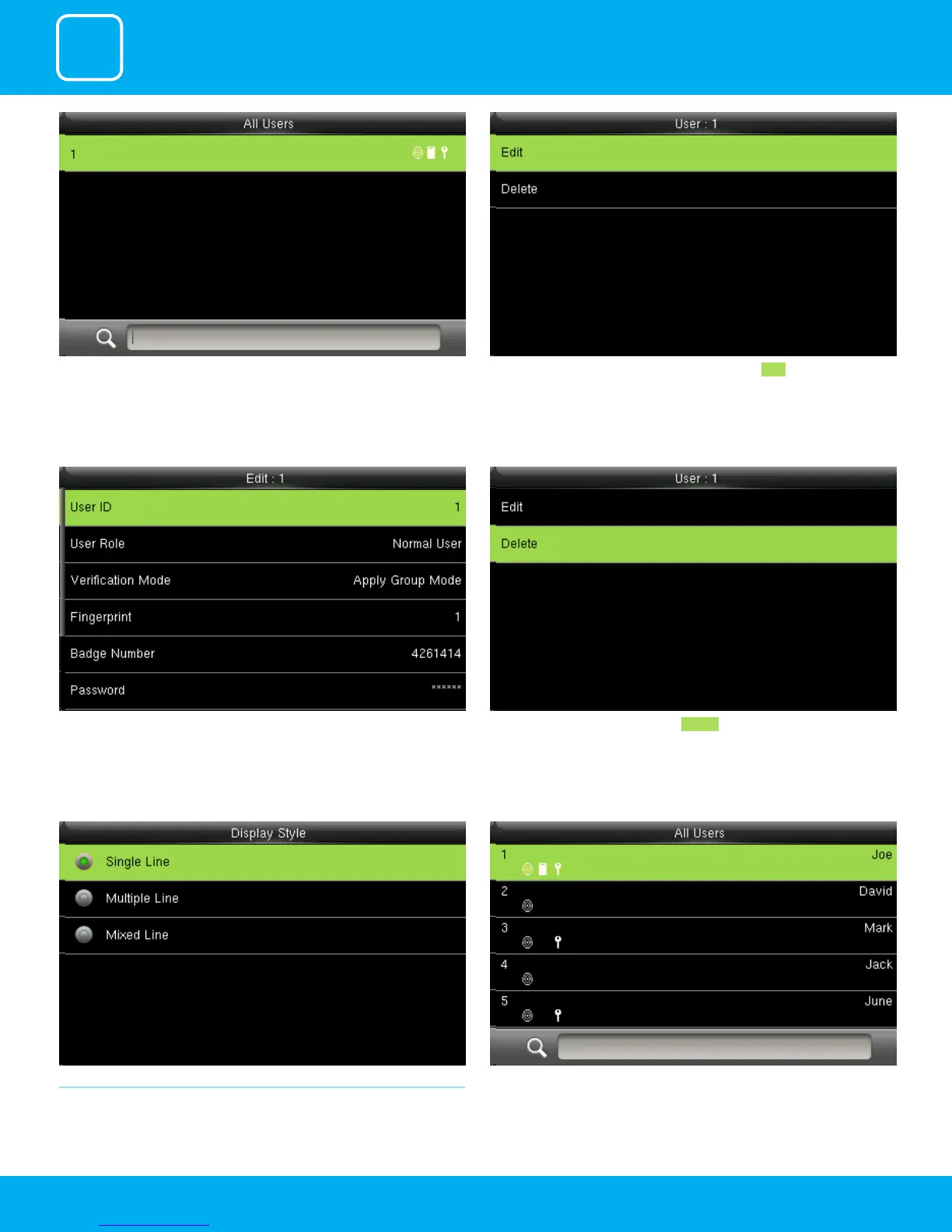
Click to select “All User”. Here you can edit the user informationby selecting Edit .
The User ID cannot be modied, and the other operations are similar to
those performed to add a user.
If you want to delete the user select Delete as shown above and the user
will get deleted.
1.3 SINGLE LINE
Click to select display style you wish to apply.
Single Line



 To Next Page