AUTOTEST
99
14
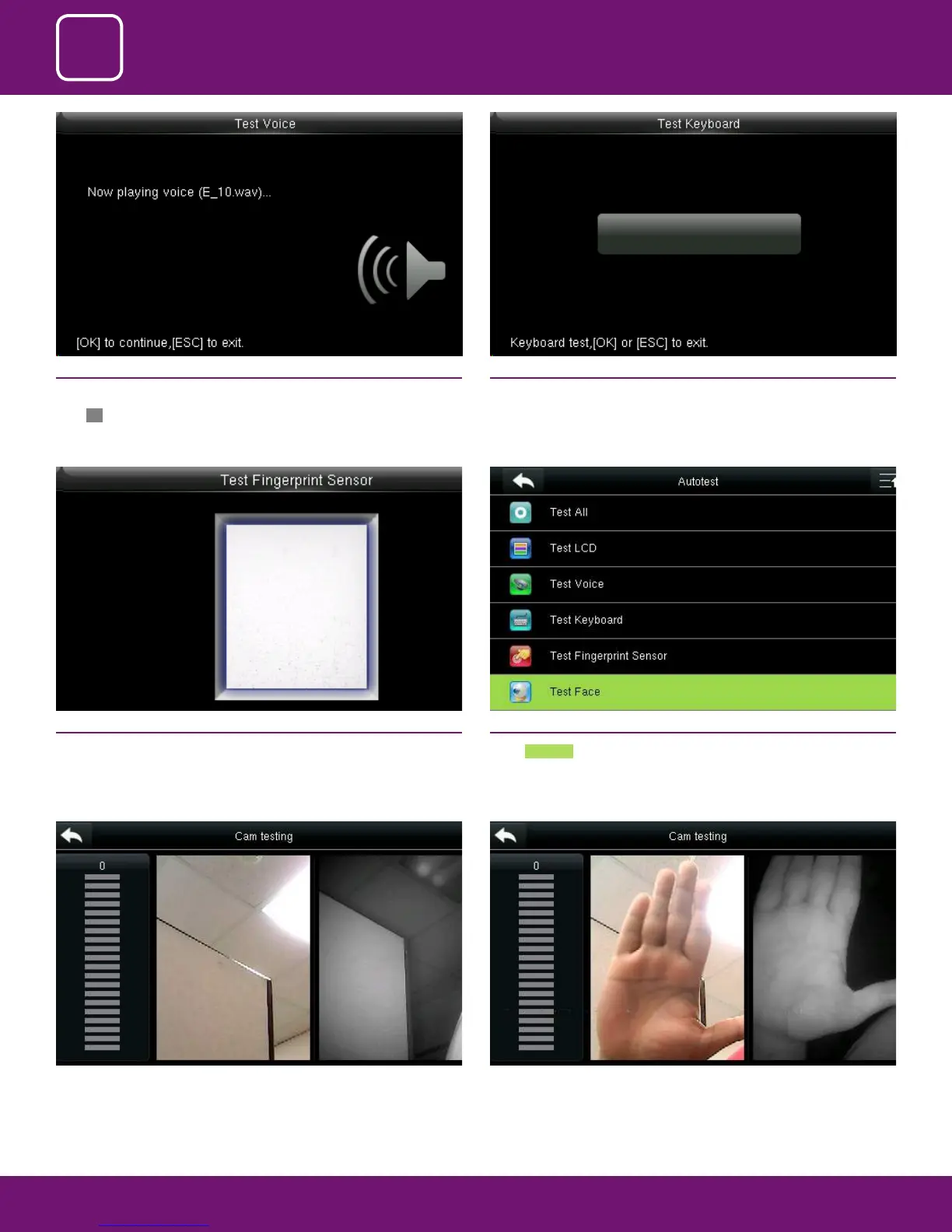
When you select to test the face the above image will be displayed where
you can put your face and verify whether the cam is working properly.
Here I took the sample picture to test the camera.
14.5 TEST FINGERPRINT SENSOR
The terminal automatically tests whether the ngerprint collector works
properly by checking whether the ngerprint images are clear and acceptable.
When the user places his/her nger in the ngered guide, the collected nger-
print image is displayed on the screen in real-time. Press [ESC] to exit the test
14.6 TEST FACE
Select Test Face
14.3 TEST VOICE
Here you can test the dierent voice wav le. To continue the voice test
press OK and to exit press ESC
14.4 TEST KEYBOARD
The terminal tests whether every key on the keyboard works normally. Press
any key on the [Keyboard Test] interface to check whether the pressed key
matches the key displayed on screen. The keys are dark-gray before pressed,
and turn blue after pressed. Press [ESC] to exit the test.



 To Next Page