COMMUNICATION
43
3
SYSTEM
43
4
PERSONALIZE
43
5
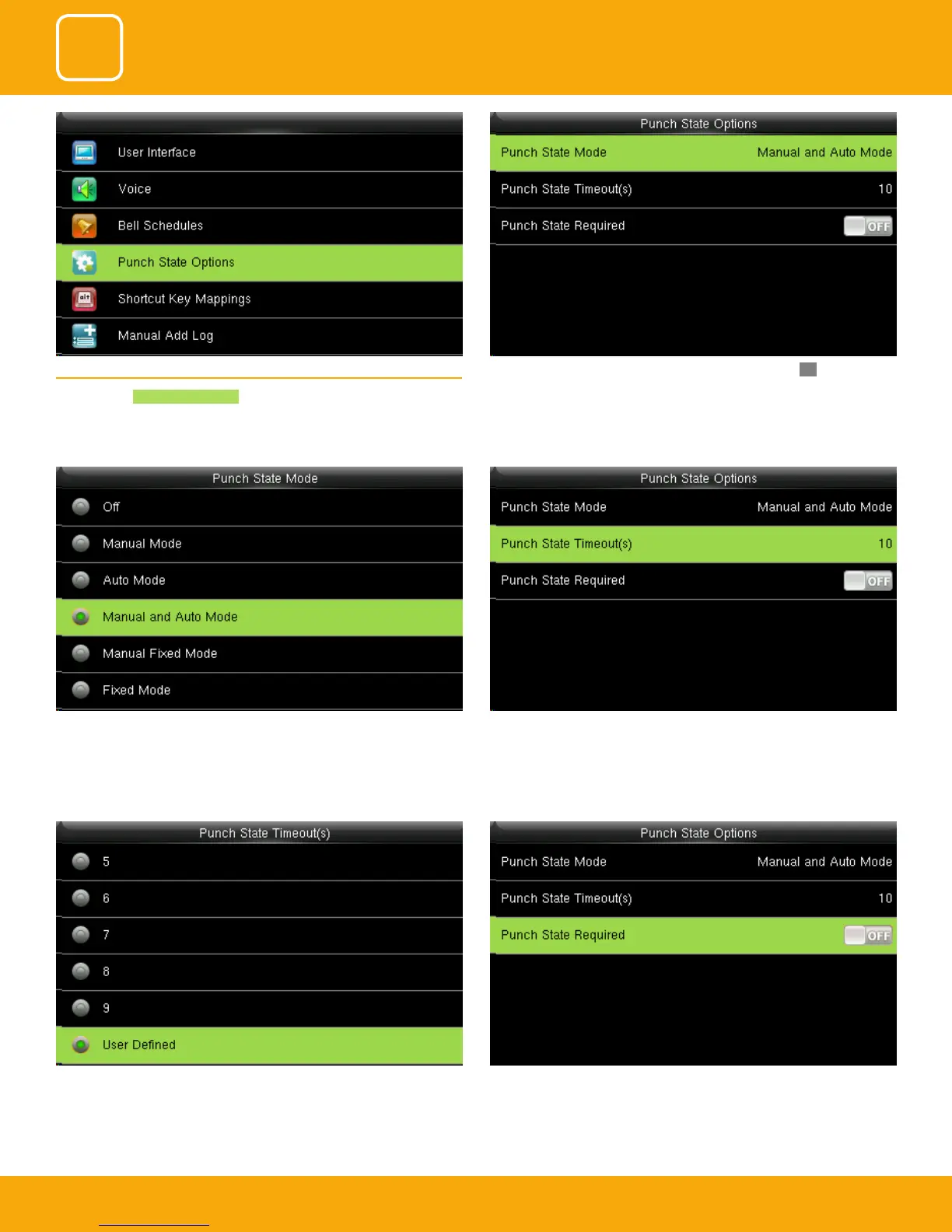
You can change the punch state timeout from the image above. The
timeout ranges from 5 to 99 sec.
species whether the status of work attendance check must be selected
during authentication.
Here when its o it won’t be selected.
The main interface displays the status keys that can be switched automat-
ically, and you are also allowed to switch status keys manually. A status key
you select manually will be switched according to the automatic switching
plan after it disappears upon a timeout.
Punch state timeout species the timeout period of the status key displayed
on the main interface.
5.4 PUNCH STATE OPTIONS
Press to select Punch State Options .
Press to select items. When the setting is completed, press OK to save the
setting and exit.



 To Next Page