COMMUNICATION
54
3
SYSTEM
54
4
PERSONALIZE
54
5
DATA MANAGEMENT
54
6
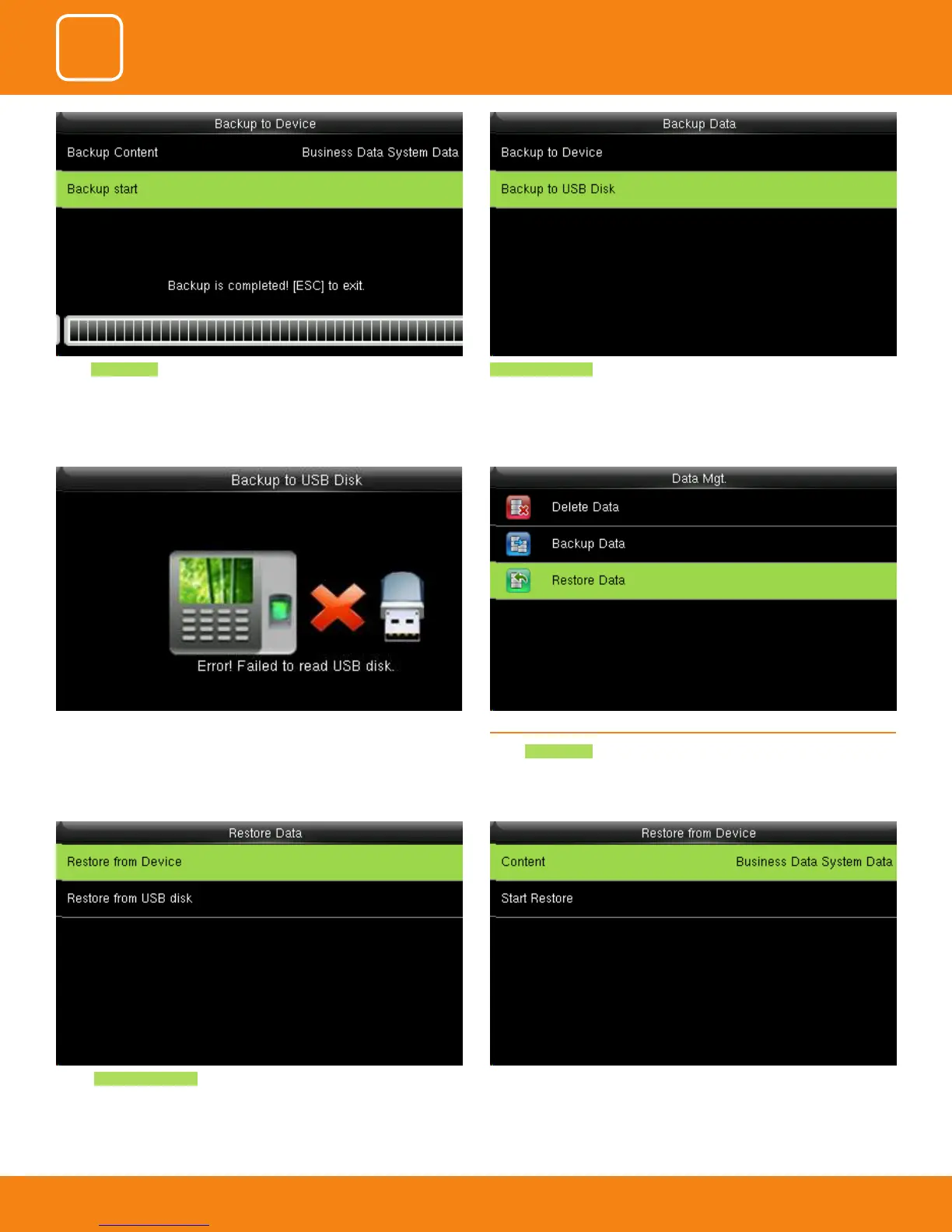
Select the local conguration items to be restored and save the selected
items.
Select Backup from Device .
6.3 RESTORE DATA
Select Restore Data .
If the usb is not properly inserted the above scdreen will be displayed.
You can either change the USB or insert it properly again.
Backup to USB Disk , the operations are similar to those performed to Backup
to Device.
Select Backup Start and once the bacup is completed the above image will
be displayed.



 To Next Page