COMMUNICATION
53
3
SYSTEM
53
4
PERSONALIZE
53
5
DATA MANAGEMENT
53
6
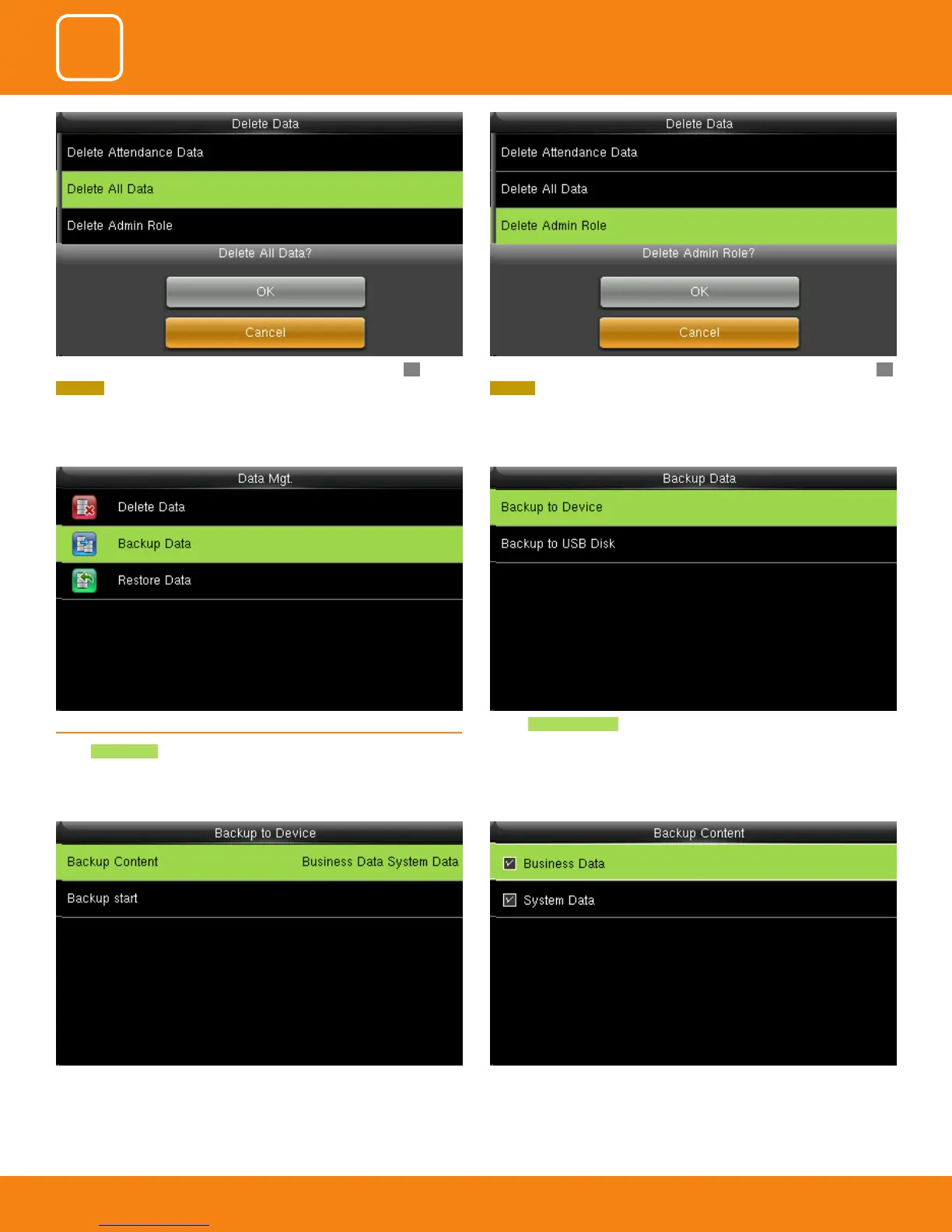
6.2 BACKUP DATA
Select Backup Data .
You can select the content you want to backup.Select the local conguration items to be back upped to device the selected
items.
Select Backup to Device to back up the content from the device.
Here you can delete all data by selecting delete all data and press OK.
CANCEL will take you back to previous screen.
Here you can delete admin role by selecting delete admin role and press OK.
CANCEL will take you back to previous screen



 To Next Page