COMMUNICATION
49
3
SYSTEM
49
4
PERSONALIZE
49
5
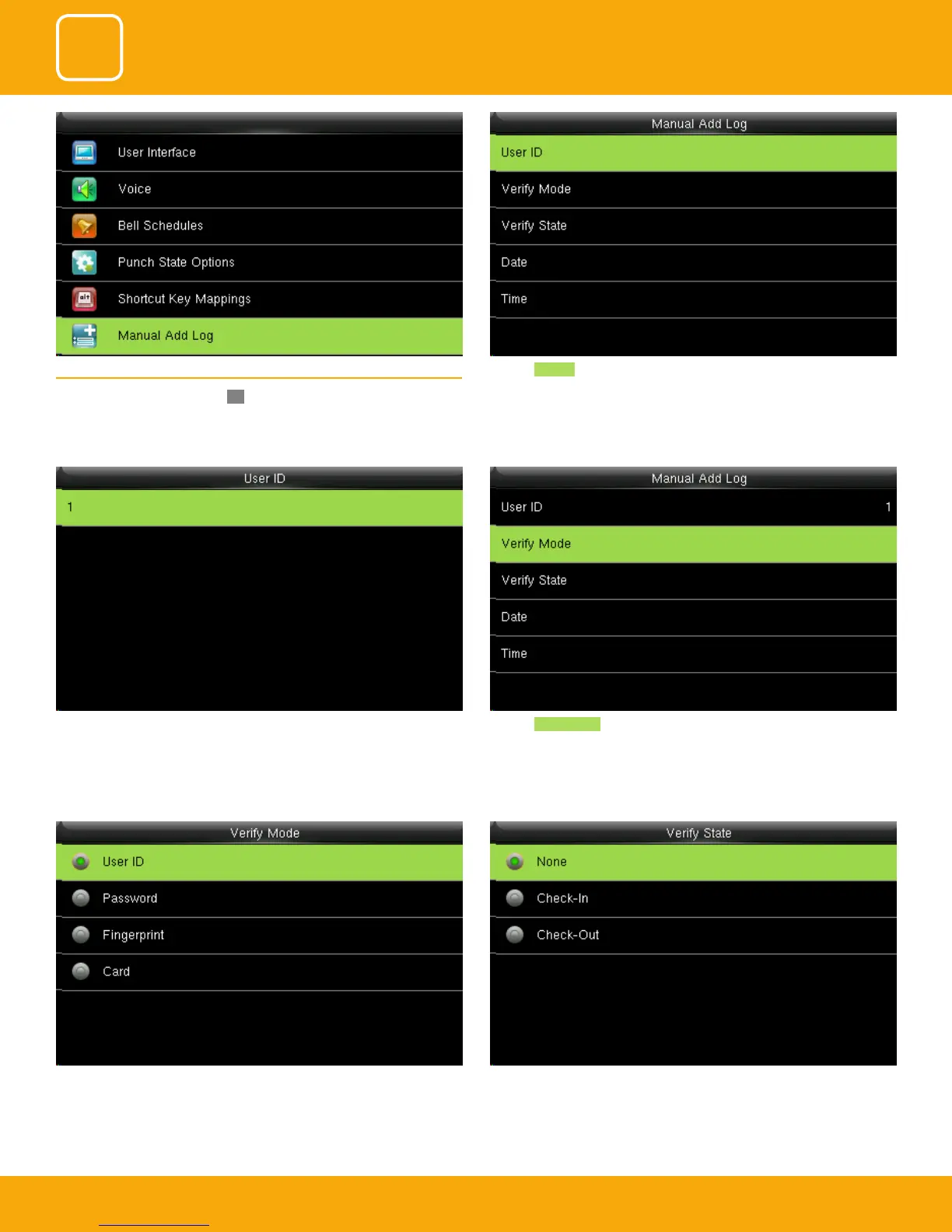
Select verify state as none. In this all the user from all state can verify them-
selves.
If you verify the state the user from that state can only verify themselves.
Here you can select any verication mode you want the user to get veried.
The user can verify themselves either with their UserID, Fingerprint, Password
or Card/Badge.
Click on Verify mode. The user id is displaying as 1.
Click on User ID 5.6 MANUAL ADD LOG
Select annual add log and press OK.



 To Next Page