COMMUNICATION
33
3
SYSTEM
33
4
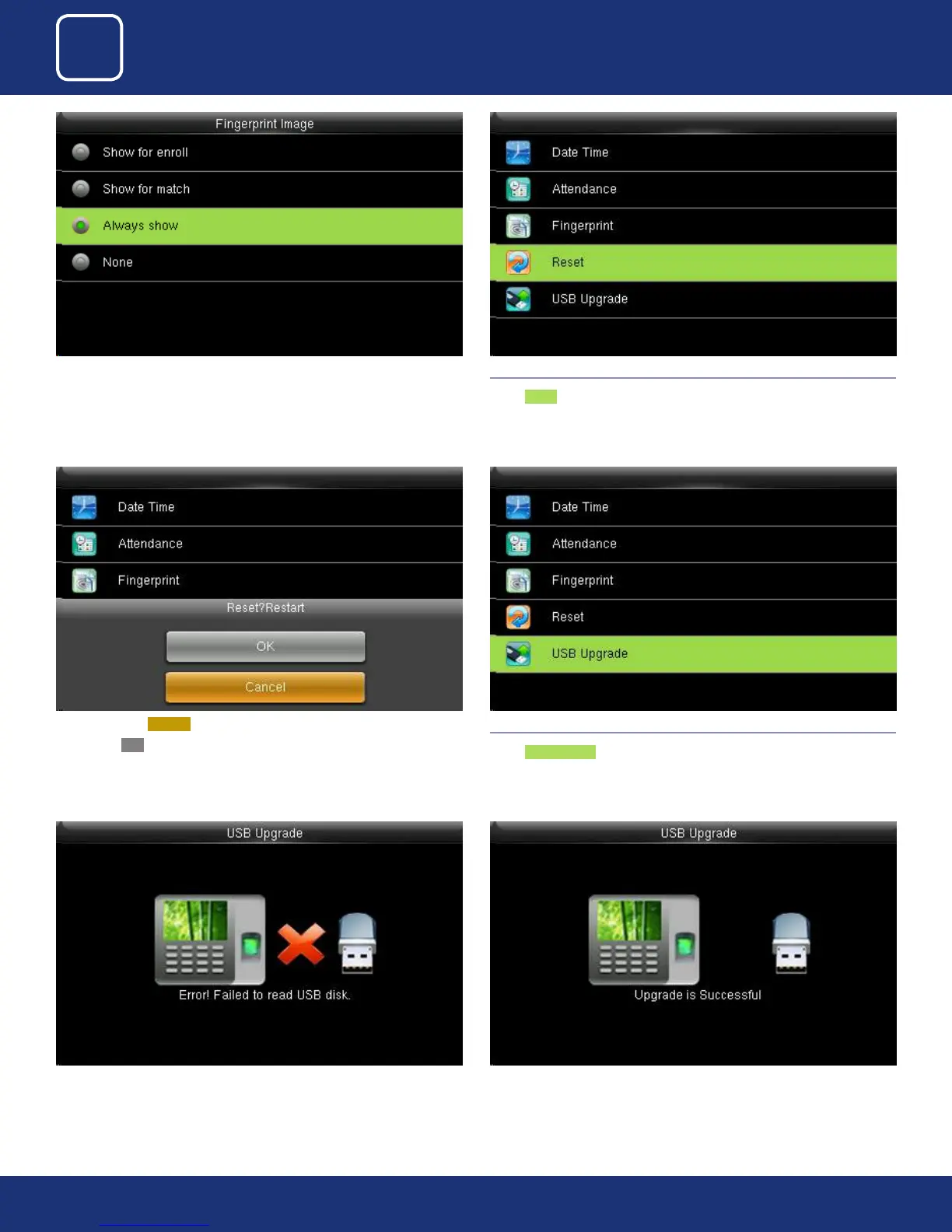
Here you can change the ngerprint image to be shown while enrolling or
to match and never
4.4 RESET
Select Reset .
When you select Cancel it will go back to previous menu.
If you select OK it will rest the setting and restart the clock.
If the USB is not readable or properly insert the image above will be dis-
played and you cannot be able to upgrade.
4.5 USB UPGRADE
Select USB Upgrade .
If the USB is readable or properly inserted the image above will be displayed
and you can be able to upgrade.



 To Next Page