WORK CODE
91
11
JOB CODE
91
12
TIP CODE
91
13
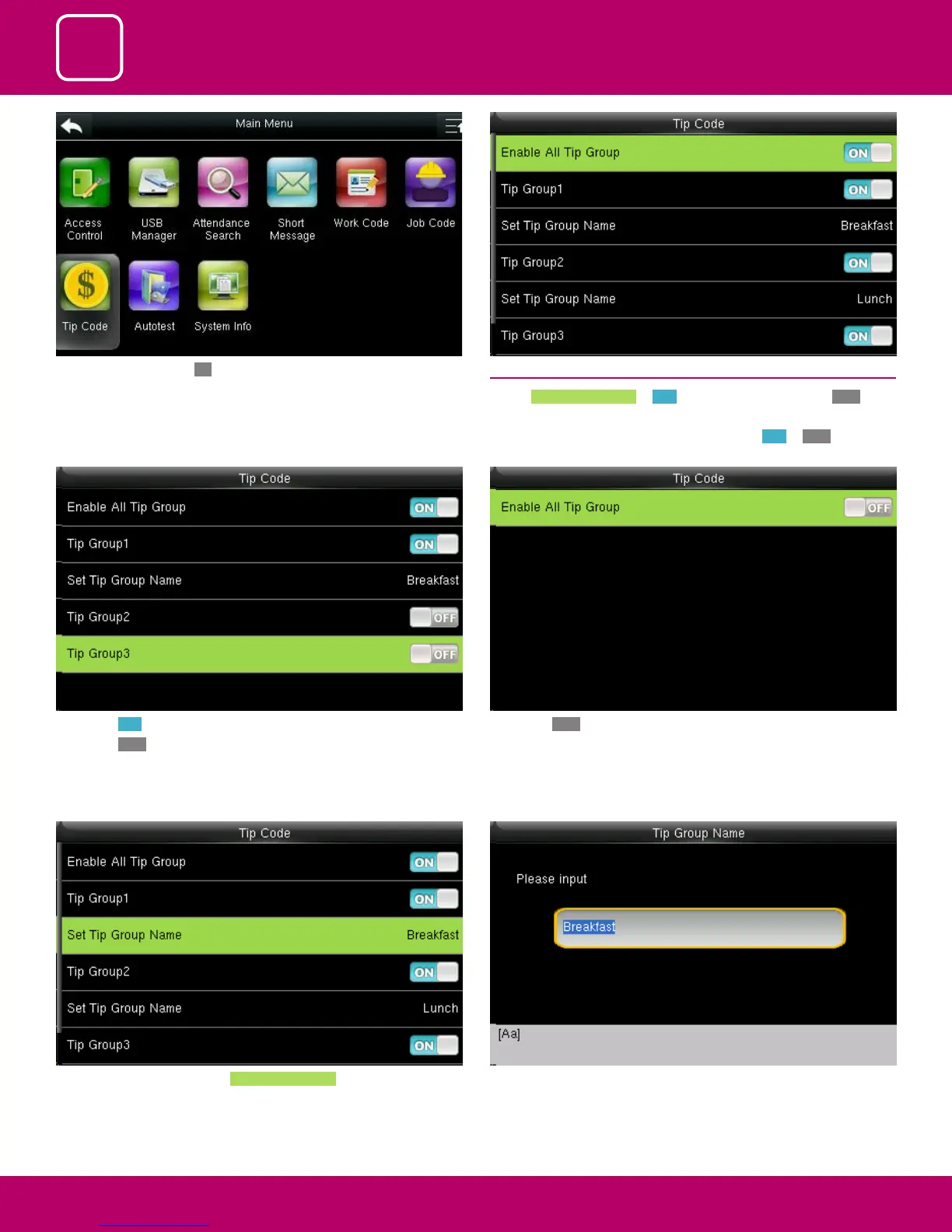
When you select the set tip group name the following
image will be displayed and you can edit the name of the group from
breakfast to other name by using the keypad on the screen
To set the tip group name select Set Tip Group Name .
If you press OFF to enable all tip group it will disable all the tip group and
no tip groups will be shown as above.
If you press ON it will enable that tip code function.
If you press OFF it will disable that tip code function
Here Tip group 1 is enabled and Tip Group 2 and 3 are disabled.
13.1 TIP CODE SETTINGS
Switch Enable All Tip Group to ON to enable Tip Code function; OFF to
disable Tip Code function.
The groups can be turned on/o individually using ON or OFF associated
with each tip group
Select Tip Code and press OK.



 To Next Page