COMMUNICATION
31
3
SYSTEM
31
4
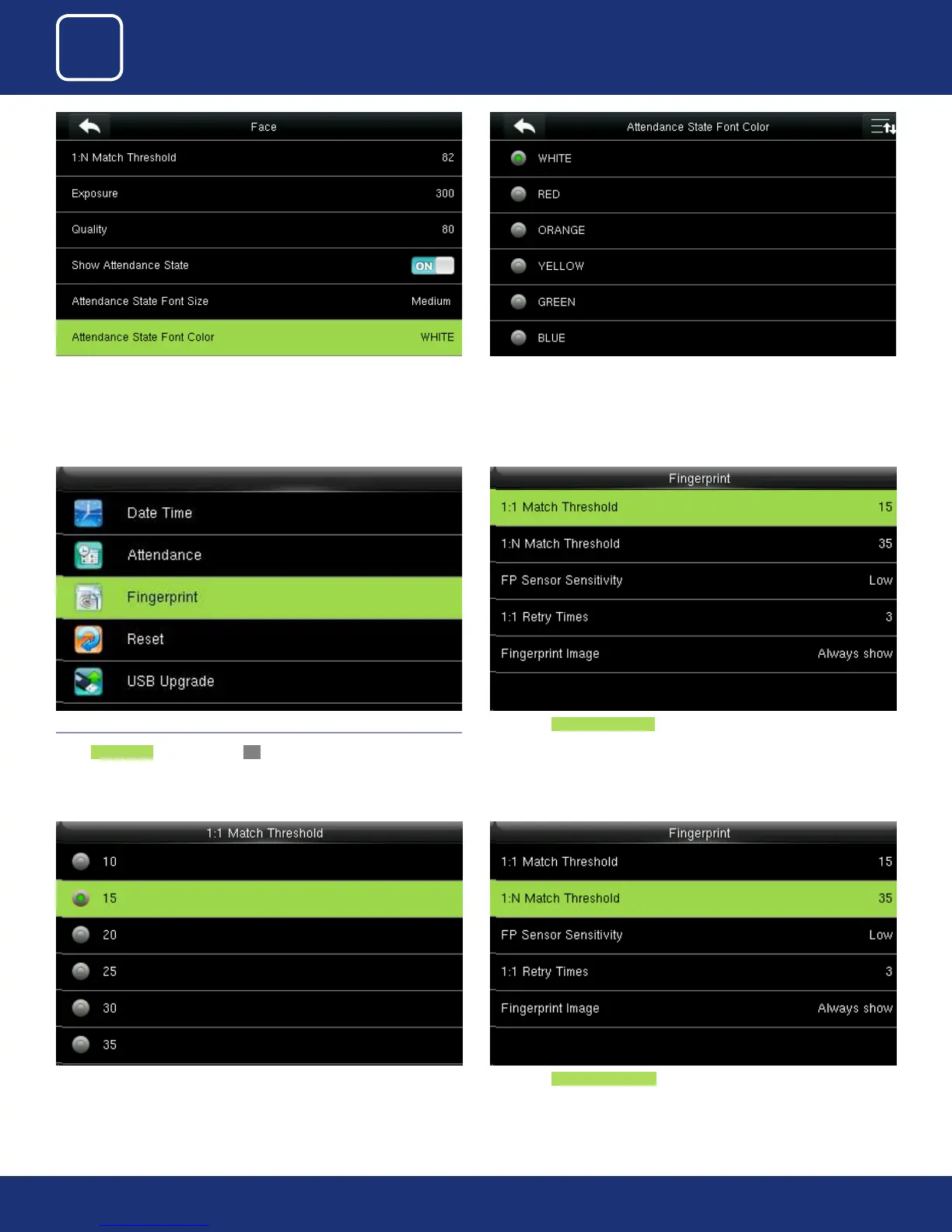
Select “Attendance State Font Color”
You can change the font color to any color from the option above you wish
to apply
4.3 FINGERPRINT
Select Fingerprint option and click OK.
Here select 1:1 match threshold value is the similar of the ID+ngerprint
verication and the enrolled template.
You can change the value from the image above. The default will be select-
ed as 15.
Here select 1:N match threshold value is the similarity of verication and the
enrolled template.



 To Next Page