COMMUNICATION
32
3
SYSTEM
32
4
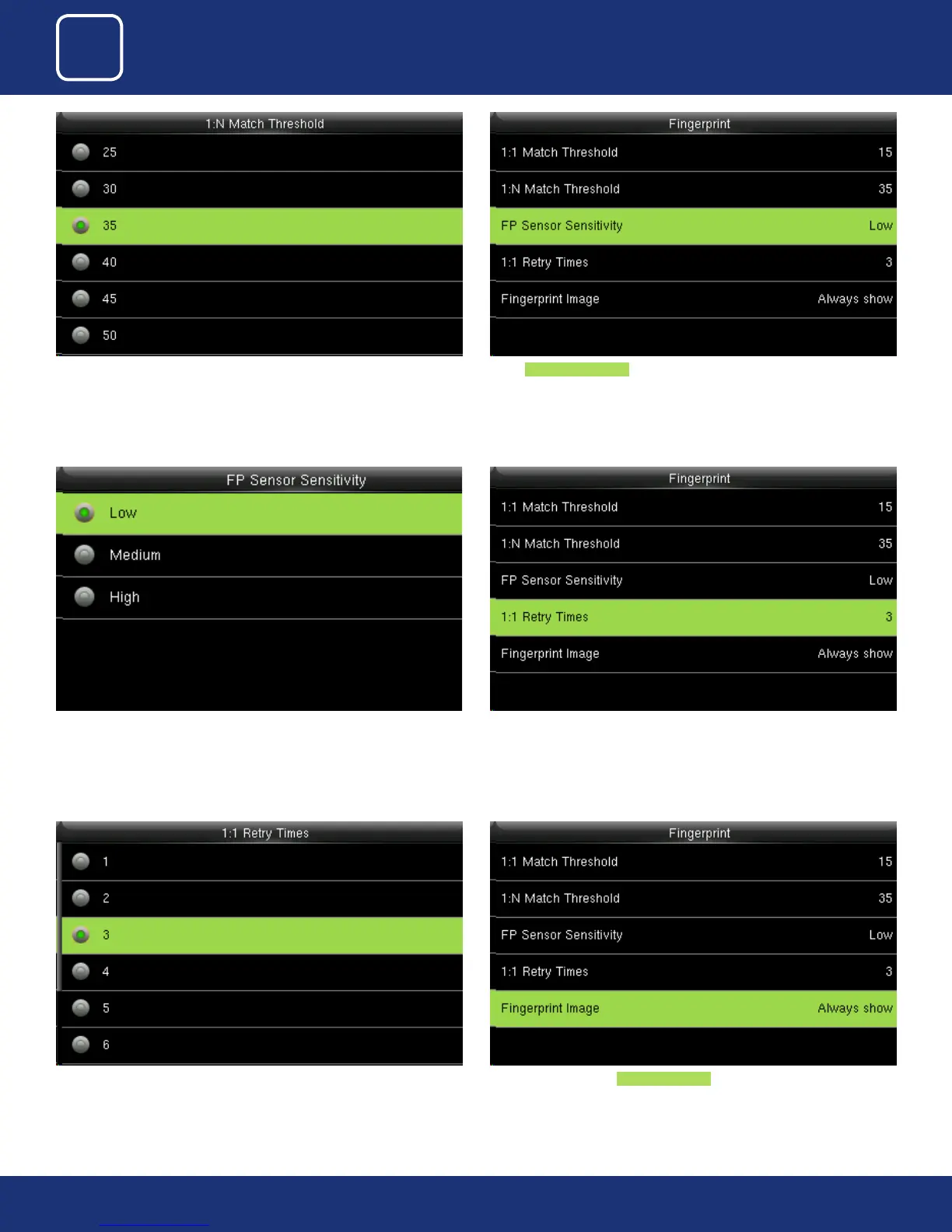
You can change the value from the image above.
The default will be set to 35
Select FP sensor Sensitivity . It is used to set the sensitivity of ngerprint
collection.
The default value Medium is recommended. You can set the sensitivity of
ngerprint collection to High when the response to nger scan lags in a dry
environment. When the usage environment is humid, you can set the sensi-
tivity of ngerprint collection to Low if the ngerprint is dicult to identify.
You can change the retry times from the image above. The value ranges
from 1 to 6.
This parameter is used to set the retry times in the event of failure of 1:1 veri-
cation or password verication due to an absence of ngerprint enrollment
or improper nger placement, so as to avoid repetitive operations.
Here you can select the Fingerprint Image to be show. If you select this
option the display of the ngerprint image on the screen will be shown.



 To Next Page