USER MANAGEMENT
1
13
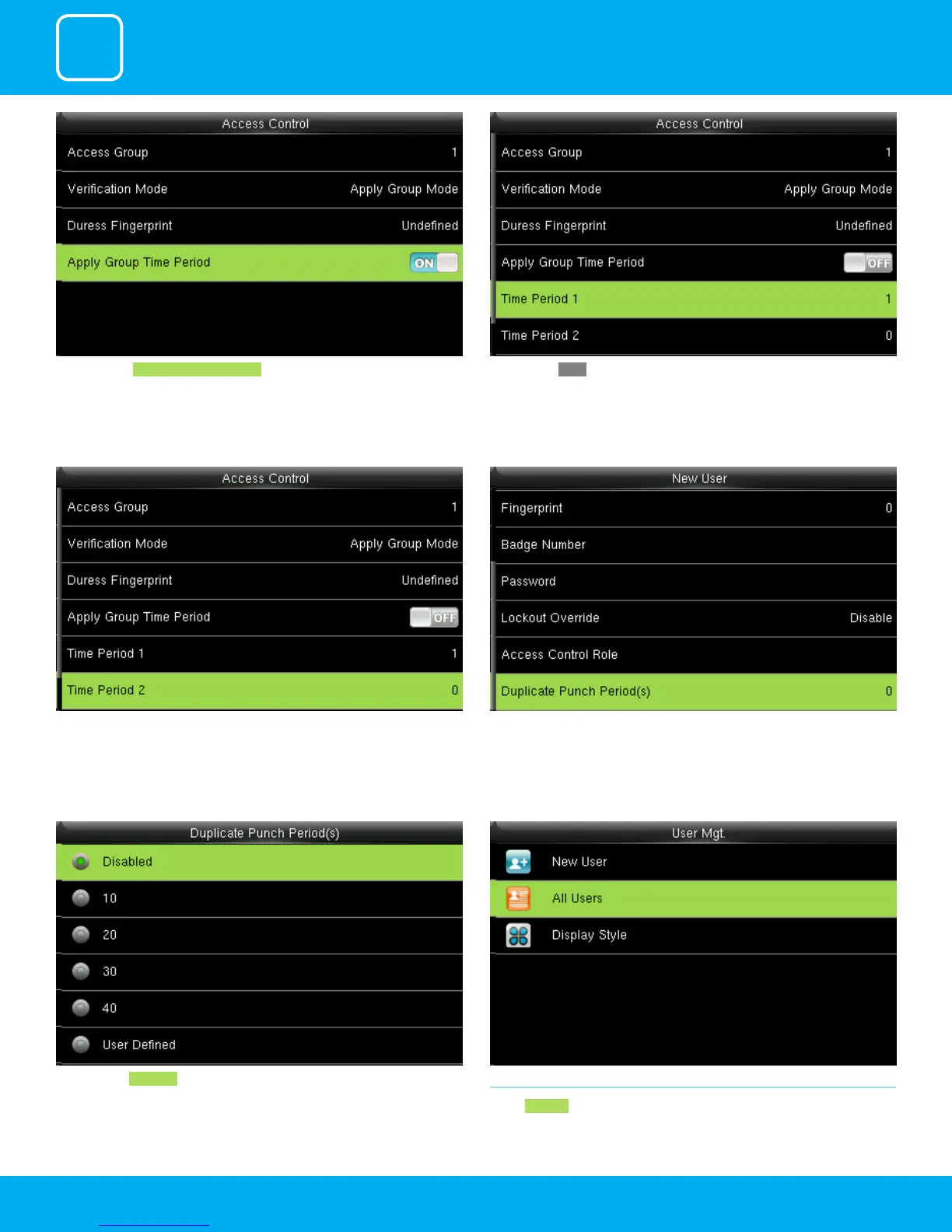
Press to select Apply Group Time Period, to select to whether the user use his/
her group’s default time zone.
When select OFF , Press to select Time period 1.
Similarly, you can choose time period 2.. Select duplicate punch period.
Here you can Disabled or select the punch period you want. 1.2 ALL USERS
Select All users .



 To Next Page