COMMUNICATION
62
3
SYSTEM
62
4
PERSONALIZE
62
5
DATA MANAGEMENT
62
6
ACCESS CONTROL
62
7
USB MANAGER
62
8
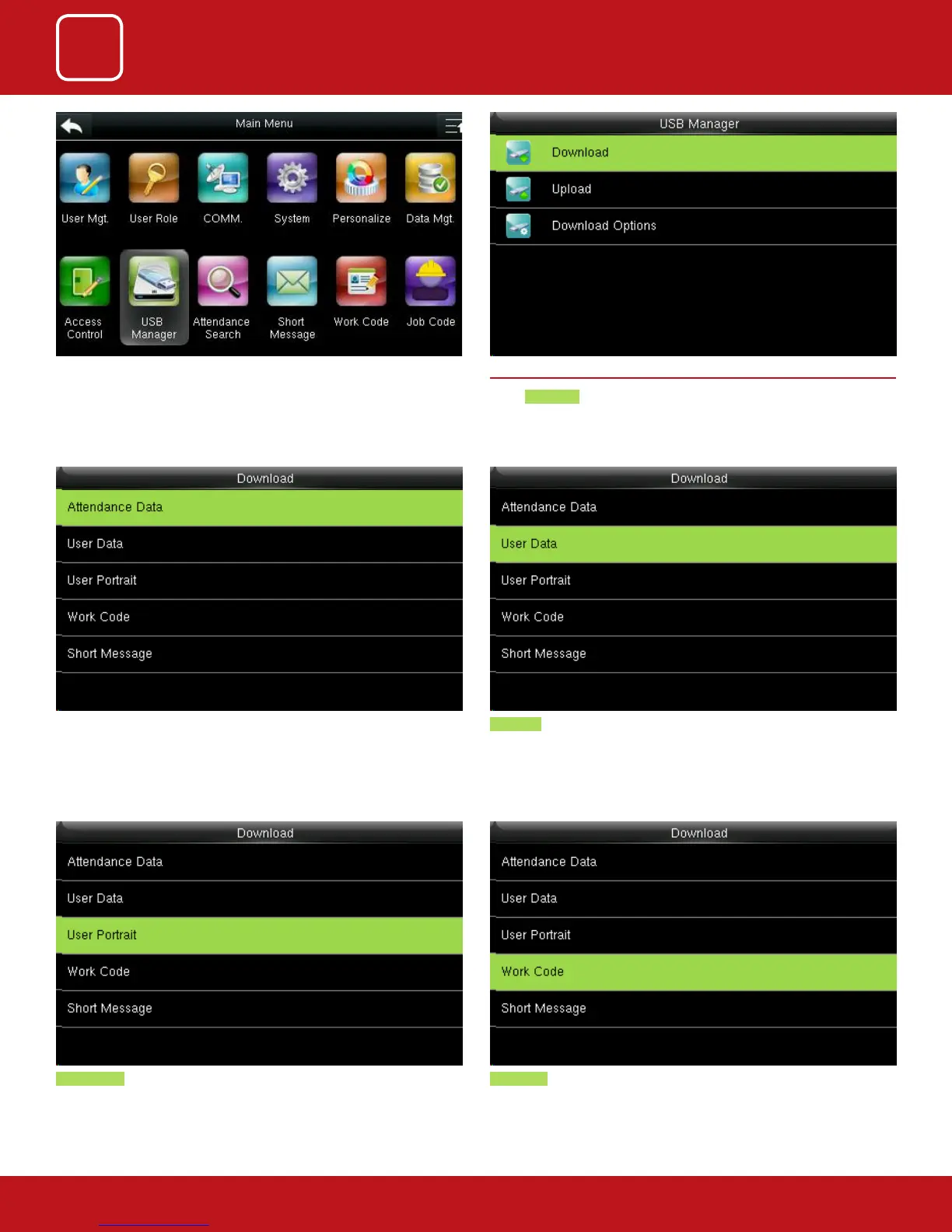
Work code will save the work IDs on the device to a USB drive User Portrait will Import the employees’ photos from the terminal to a USB
disk.
Select the items you want to download.
Here when we select the “Attendance Data” it will import all the attendance
data from the FFR terminal to USB disk
User data will import all the user information, ngerprints and facial images
from the FFR terminal to a USB disk
Go to Menu and select USB Manage. 8.1 DOWNLOAD
Select Download.



 To Next Page