COMMUNICATION
38
3
SYSTEM
38
4
PERSONALIZE
38
5
5.2 VOICE
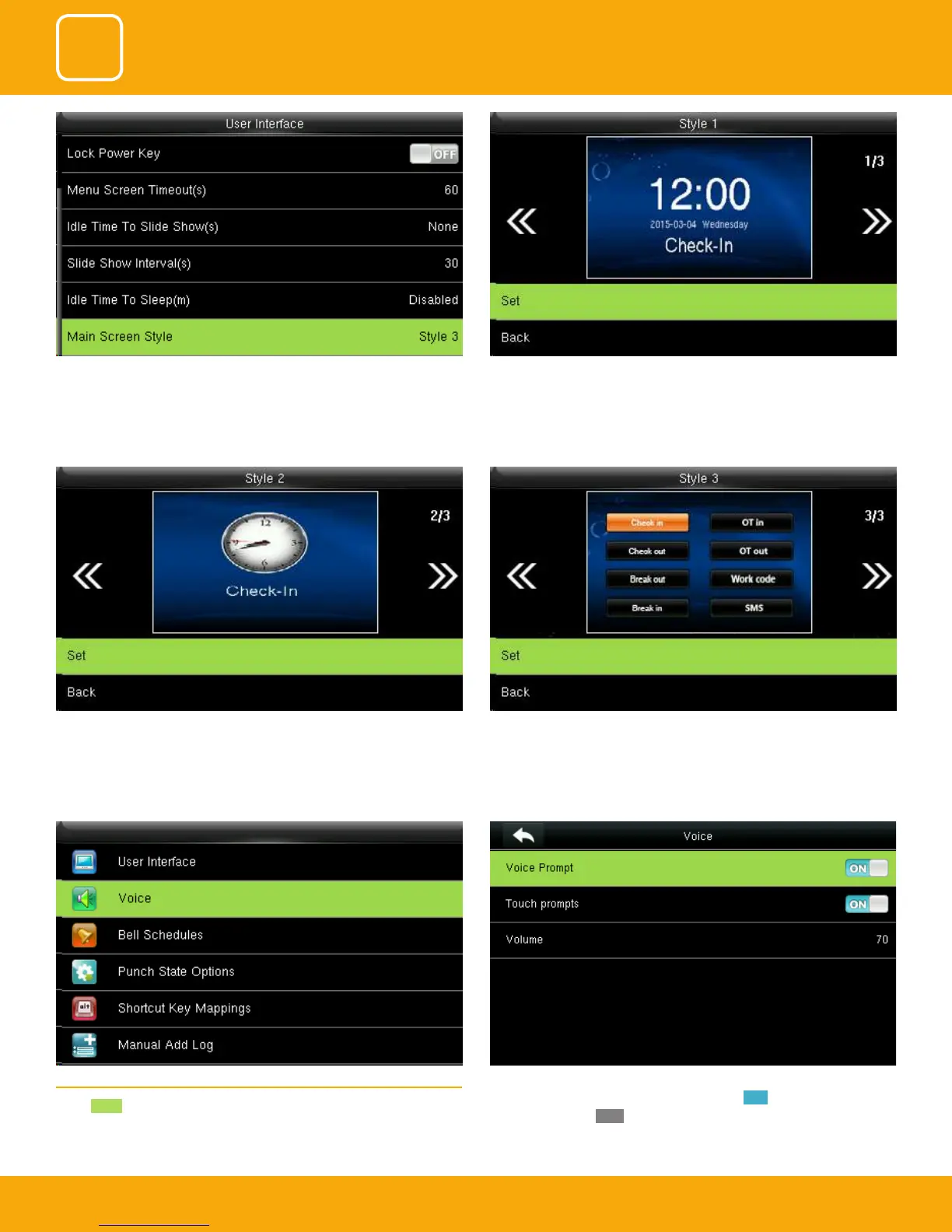
Select Voice .
Voice prompt: This parameter is used to set whether to play voice prompts
during the operation of the FFR terminal. Select ON to enable the voice
prompt, and select OFF to mute.
Here is the “Style 2”. If you want this style press SET. And if you don’t want this
style simply to press back.
Here is the “Style 3”. If you want this style press SET. And if you don’t want this
style simply press back
This is to set where and how the clock and status key are displayed on the
main screen.
Here is the “Style 1”. If you want this style press SET. And if you don’t want
this style simply press back.



 To Next Page