COMMUNICATION
22
3
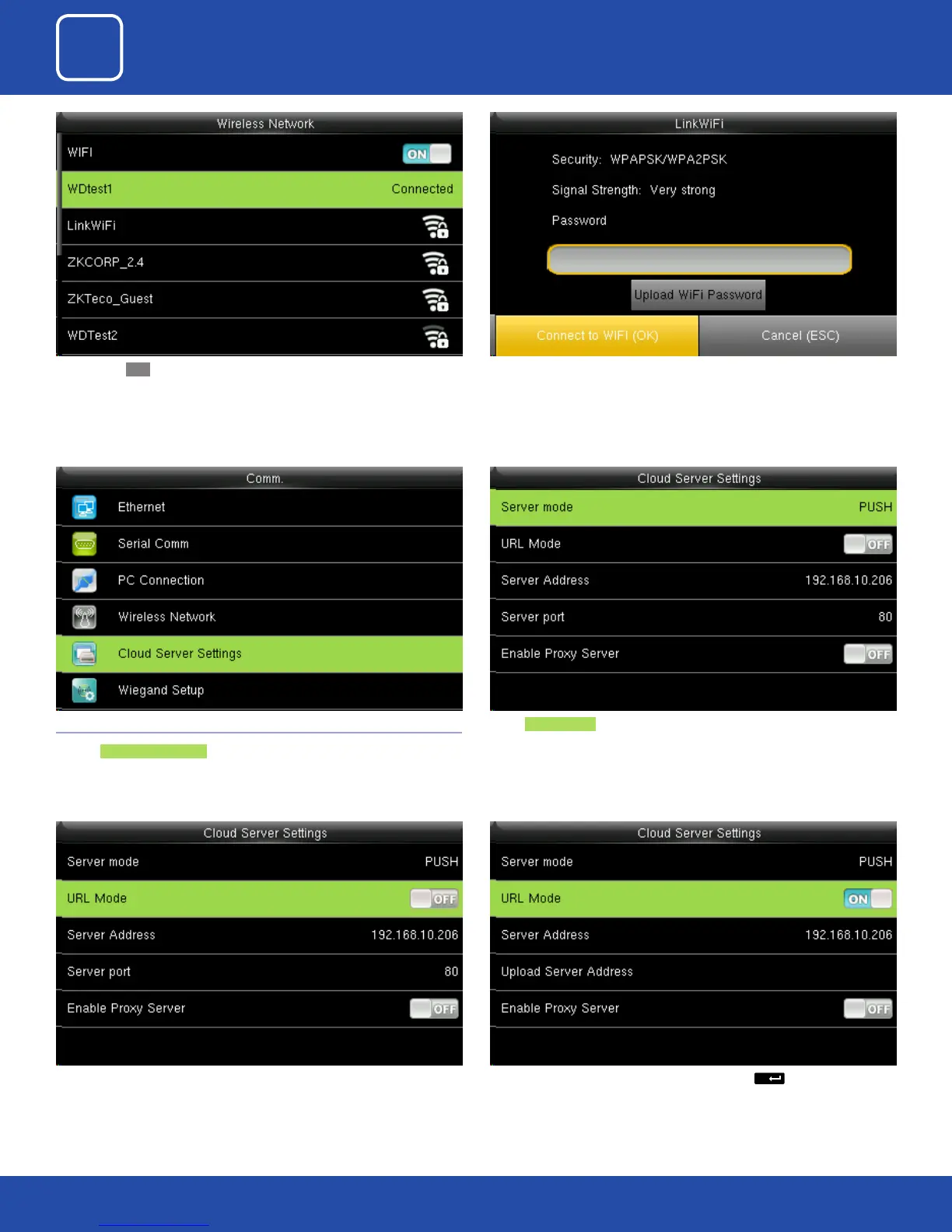
Select Server mode as “PUSH” as shown above.
It refers to your push server address.
Here the “URL” MODE IS “OFF”. You can turn the “URL” mode “ON” by pressing the
button on the clock.
You can turn ON the wireless network and the networks available in the
range would be displayed as above.
You can select any wireless network you wish to connect and you can up-
load the password via “USB” or by using the keypad on the clock.
Once you upload the password you can press “Connect to WFI(OK)” and the
following network will get connected.
3.5 CLOUD SERVER SETTINGS
Click on Cloud Server Setting .



 To Next Page