COMMUNICATION
23
3
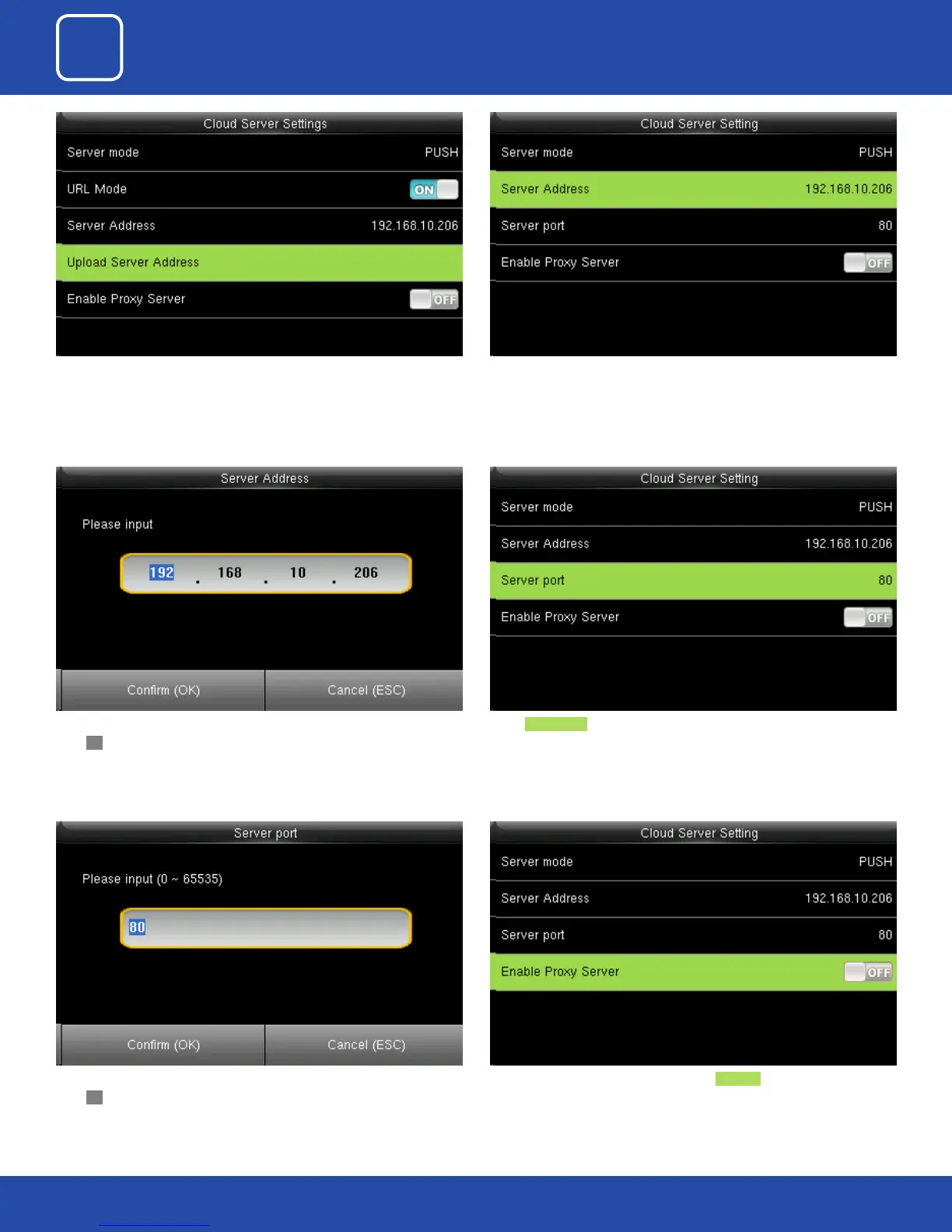
Once the “URL Mode” is “ON” you can upload the server address with “USB”.
Here you can change server port of the webserver by using the keypad and
press OK.
Here the server address is the IP address of the webserver.
Select Server port. It is as port which is used by the webserver.
Here you can change server port of the webserver by using the keypad and
press OK.
Here you can select the proxy server to be Enabled or not. If it is o as above
the proxy server will be disabled.



 To Next Page