COMMUNICATION
24
3
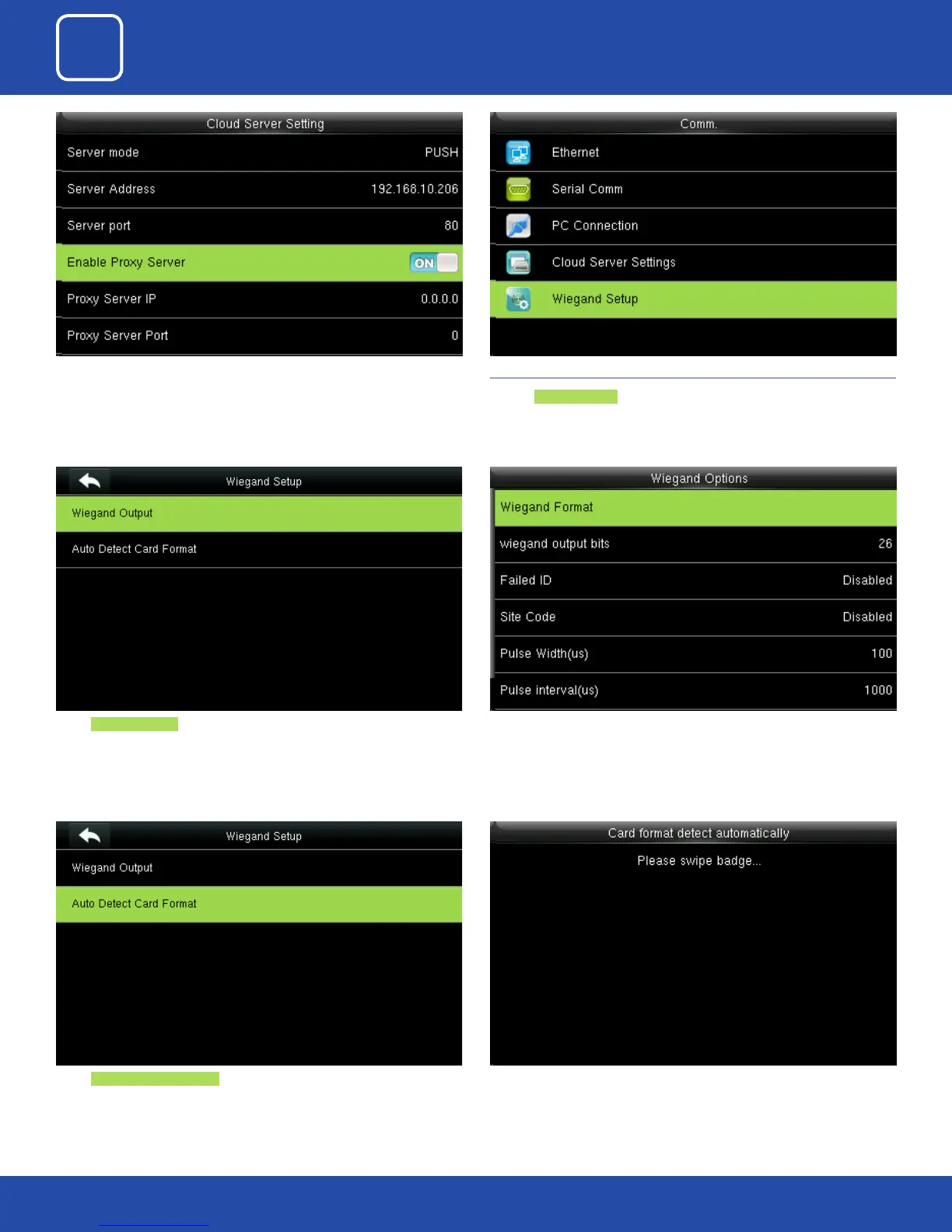
When you enable the proxy function, set the IP address and port number of
the proxy server. This option indicates whether to use a proxy IP address. You
may choose to enter the proxy IP address or the server address for Internet
access, whichever you like.
Select Wiegand Output
Select Auto Detect Card Format
( This function is available only for standard RFID and HID proximity Cards )
3.6 WIEGAND SETUP
Click on Wiegand Setup .
Here you can edit the Wiegand Output options you wish to apply.
Here you can swipe the multiple type of card with dierent Wiegand
formats.



 To Next Page