USER MANAGEMENT
1
12
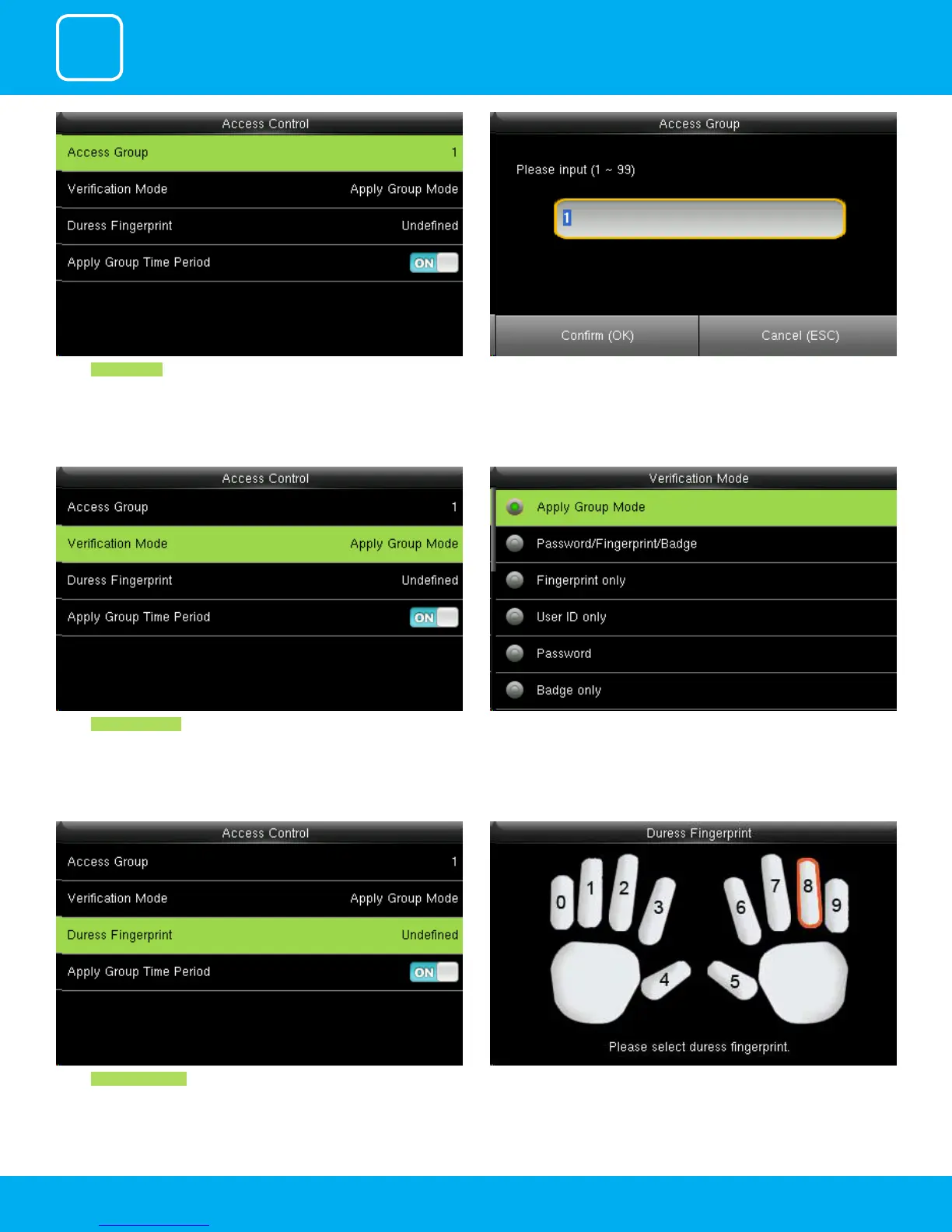
Select Access Group . You can change the number for that group in the input section above using
the keypad.
Select Verication mode.
In verication mode, you can select apply group mode which will select all
the methods of verication as shown above.
Select Duress Fingerprint .
Place your nger as shown above to select your duress ngerprint.



 To Next Page