USER MANAGEMENT
1
11
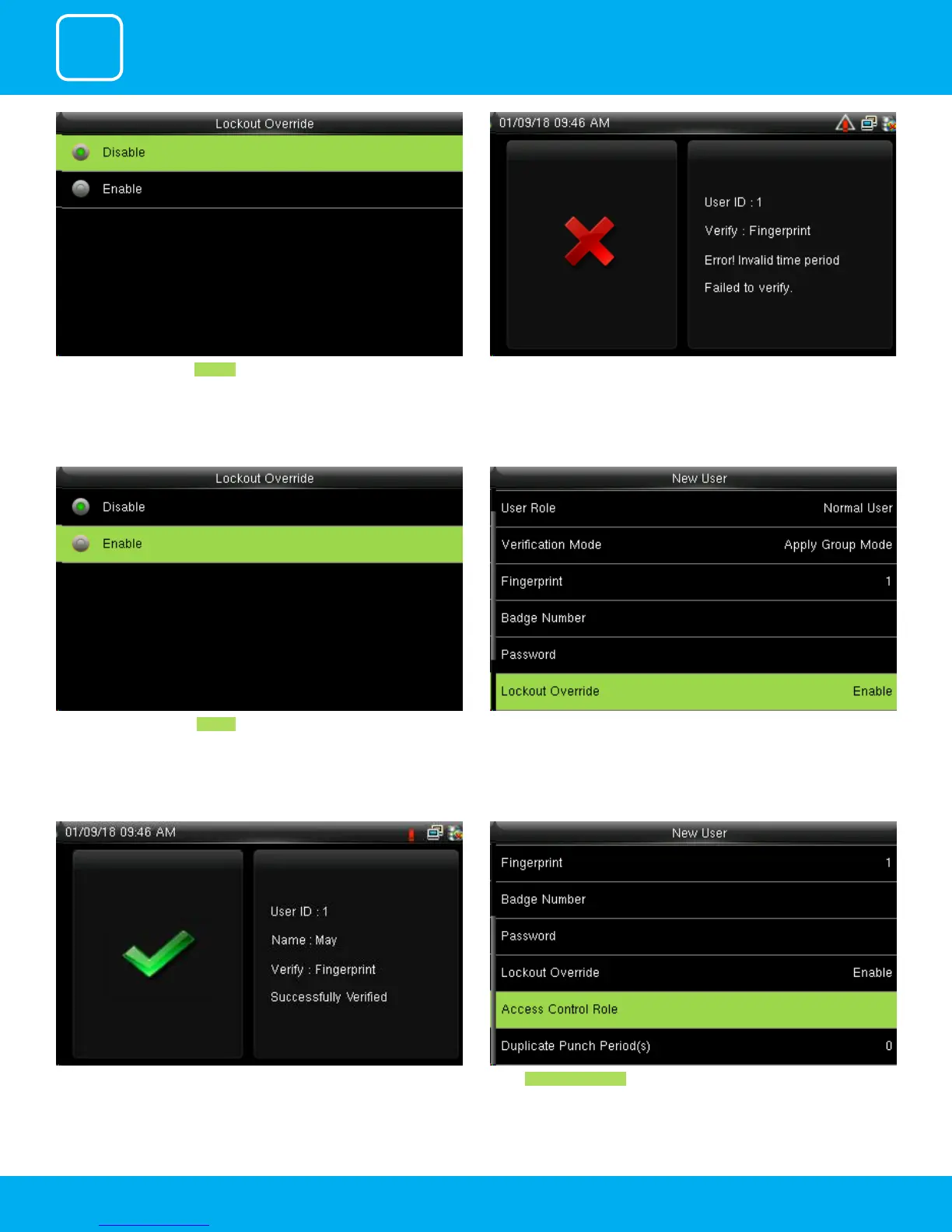
Select lockout override as Disable . A user punches in o the activate schedules, the device will notify the user
by “Error! Invalid time period Failed to verify.”
Select lockout override as Enable . When you enable this function the above image will be displayed.
A user punches in o the activate schedules, the device will notify the use by
“Successfully Veried.” as shown below
Select Access Control Role .



 To Next Page