USER MANAGEMENT
1
10
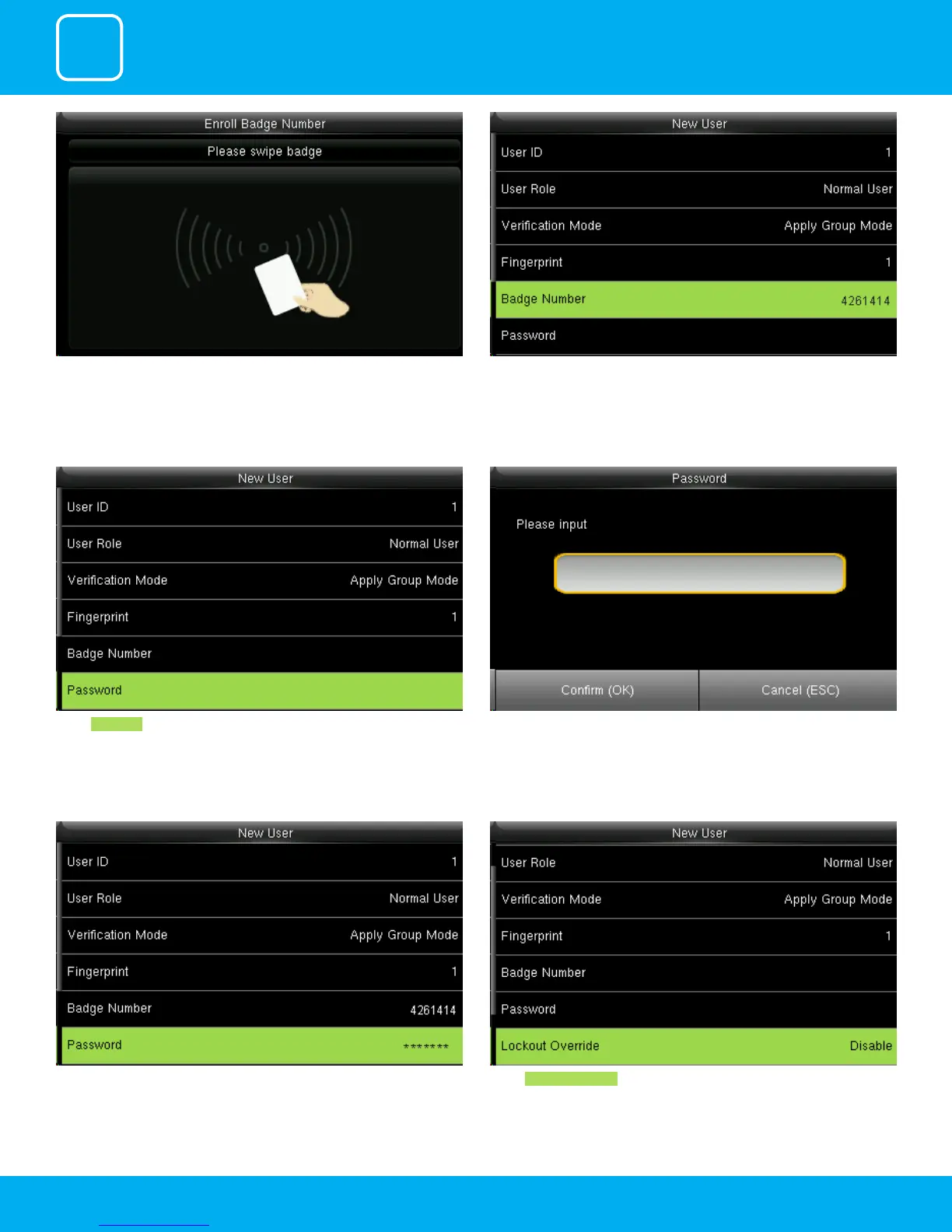
When you select the badge number it will tell you to swipe the badge/rd
card to enroll.
When you swipe the badge number the badge number will be displayed as
above.
Here I swiped badge number 4261414 and that number is enrolled for that
user.
Select Password . Here you can input the password by using the keypad to enroll.
Once you entered the password the above image will be displayed for that
user with his/her ngerprint the badge number and password that needs
him/her to enter.
Select Lockout Override .



 To Next Page