USER MANAGEMENT
1
9
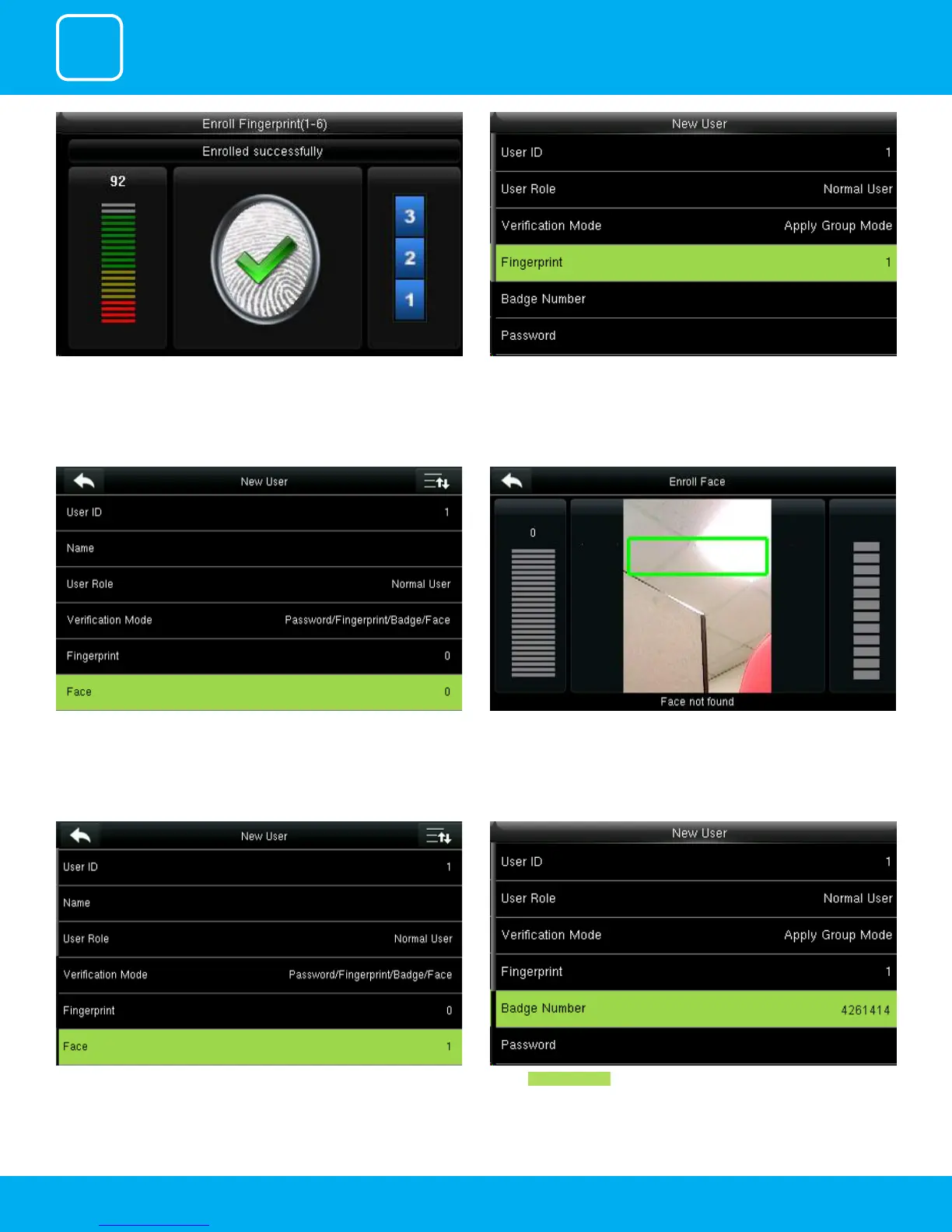
Enrollment succeeds. If the enrollment fails, the system will display a prompt
message and return to the [Enroll Fingerprint] interface. In this case, you
need to repeat the operations of step 2
After the ngerprint is enrolled successfully the ngerprint will be shown as
1 as above which means one ngerprint is enrolled.
Select “Face”.
After you select face place your place in the green box until the face gets
registered for that user.
After the face is recognized for that user it will show as 1 face has been
registered as above.
Select Badge Number .



 To Next Page