USER MANAGEMENT
1
8
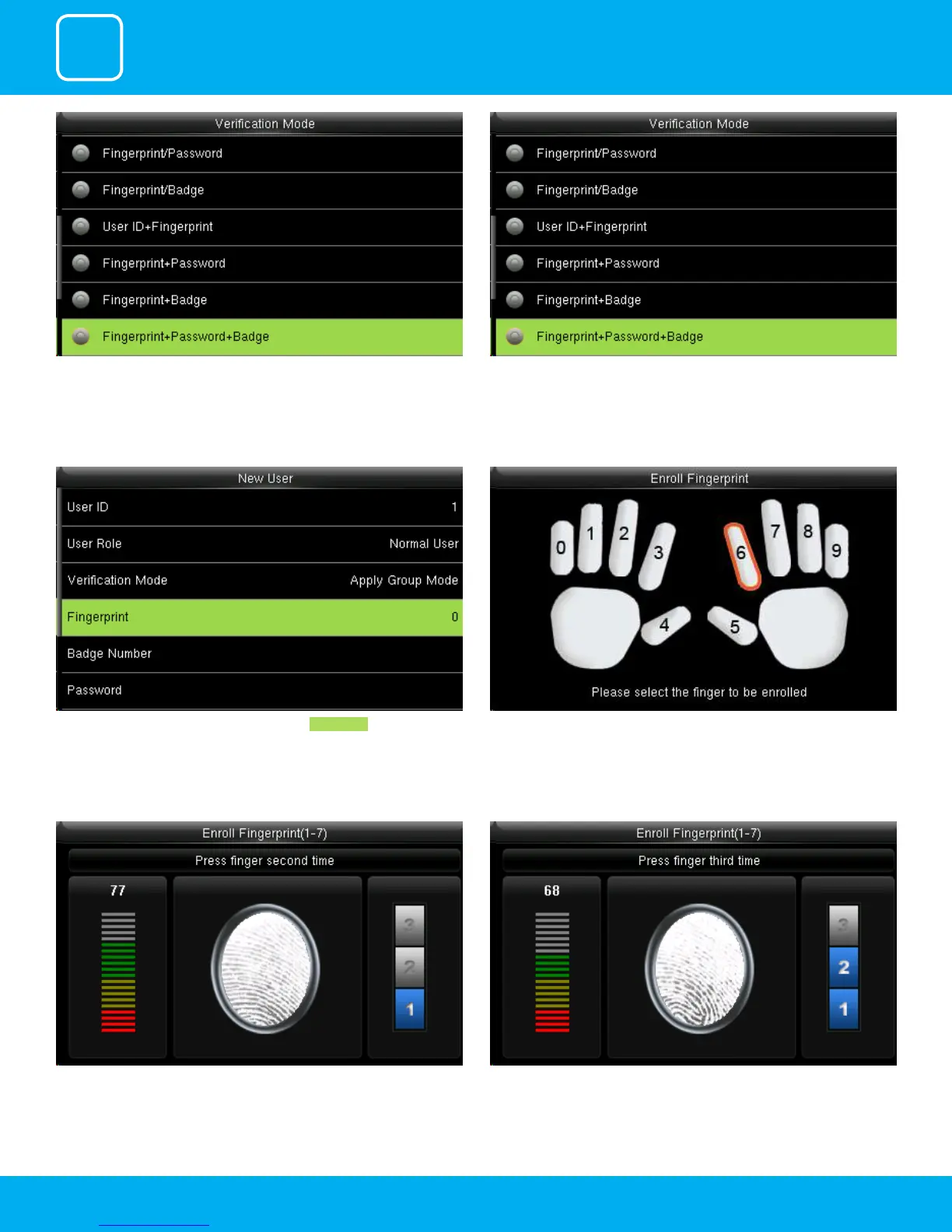
When you select the option from above the user need all three things to
verify himself or it won’t verify.
When you select the option above the user needs his/her ngerprint and
either badge or user id to verify himself.
When there is / sign it means you can either use one option from 2 to verify.
To enroll the ngerprint for the new user select ngerprint .
Place your nger on the ngerprint sensor properly.
Place the same nger on the ngerprint sensor for the second time. After that, you can again place the same nger on the ngerprint sensor.



 To Next Page