COMMUNICATION
29
3
SYSTEM
29
4
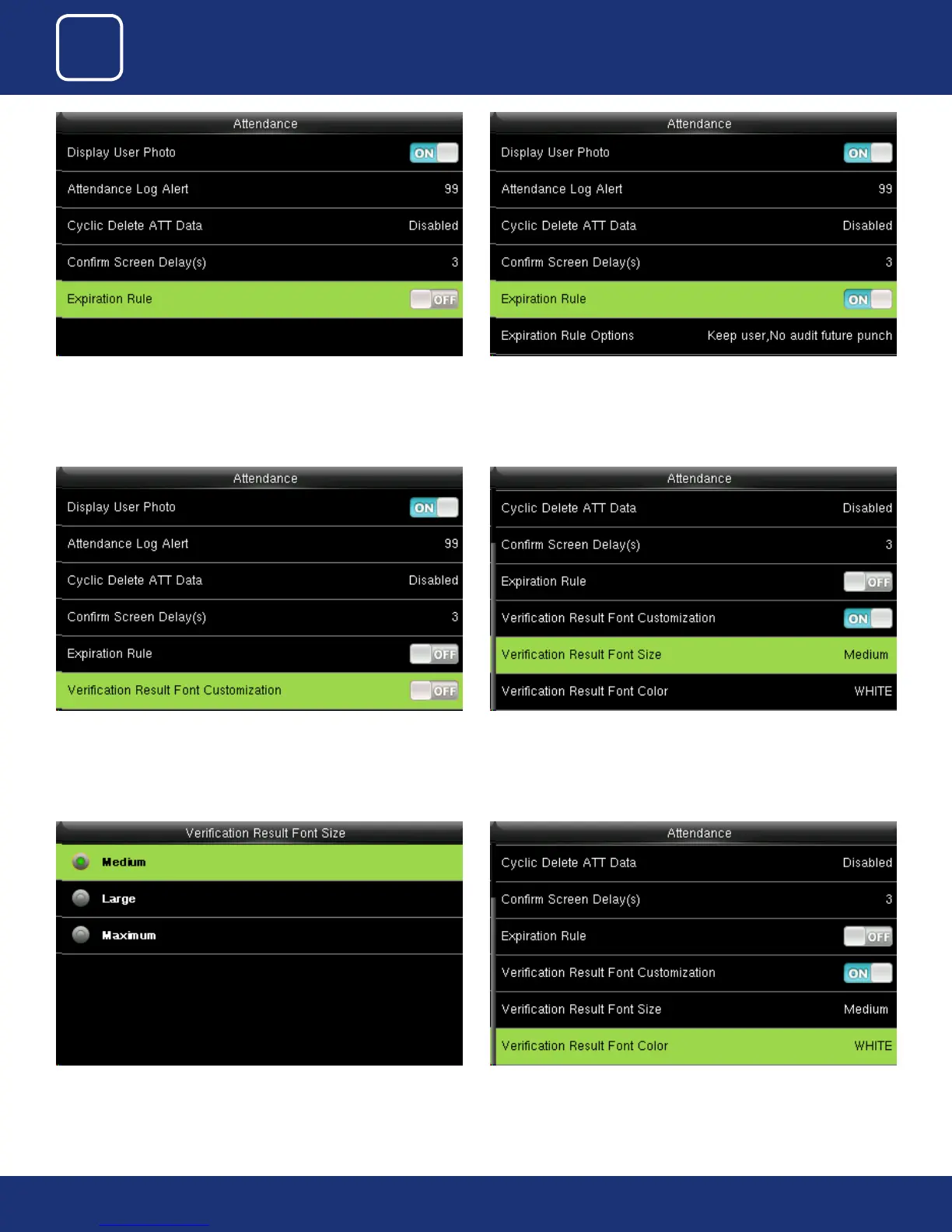
You can select the expiration rule as OFF if you don’t want to retain the user
information or to save attendance records.
You can select one of the three conditions:
• Retaining user information and not saving attendance records;
• Retaining user information and saving attendance records;
• Deleting user information
Click on “Verication Result Font Customization” option from above and
press ON to change the Font Size.
Here you can change the Font size from “Medium” to “Large” or “Maximum”
you need to change.
Select “Verication Result Font Color” from above and press “OK”
Here Default the font size would we be set to “Medium”.



 To Next Page