COMMUNICATION
40
3
SYSTEM
40
4
PERSONALIZE
40
5
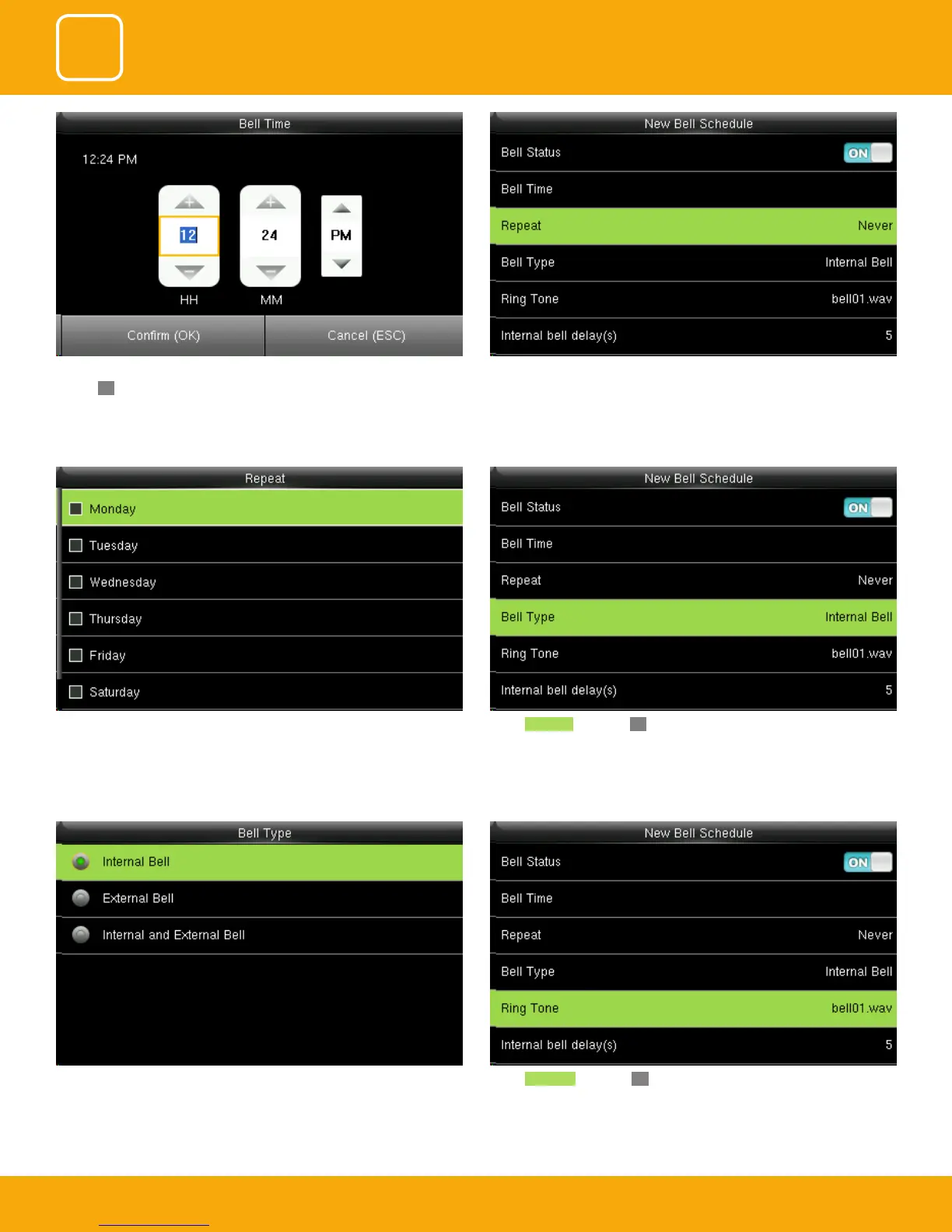
Here you can select the bell type. If you want the ringtone to be played in-
ternally than select internal bell, for external select external bell and for both
select internal and external bell.
Select Ringtone and press OK.
You can select any day of the week to repeat the ringtone. And if you don’t
want the ringtone to be repeated set to never.
Select Bell Type and press OK.
You can change the timings for the bell to ring using the keypad and then
conrmOK.
Here the bell is schedule at 12.24PM.
The Repeat function species whether to repeat the ringtone



 To Next Page