COMMUNICATION
45
3
SYSTEM
45
4
PERSONALIZE
45
5
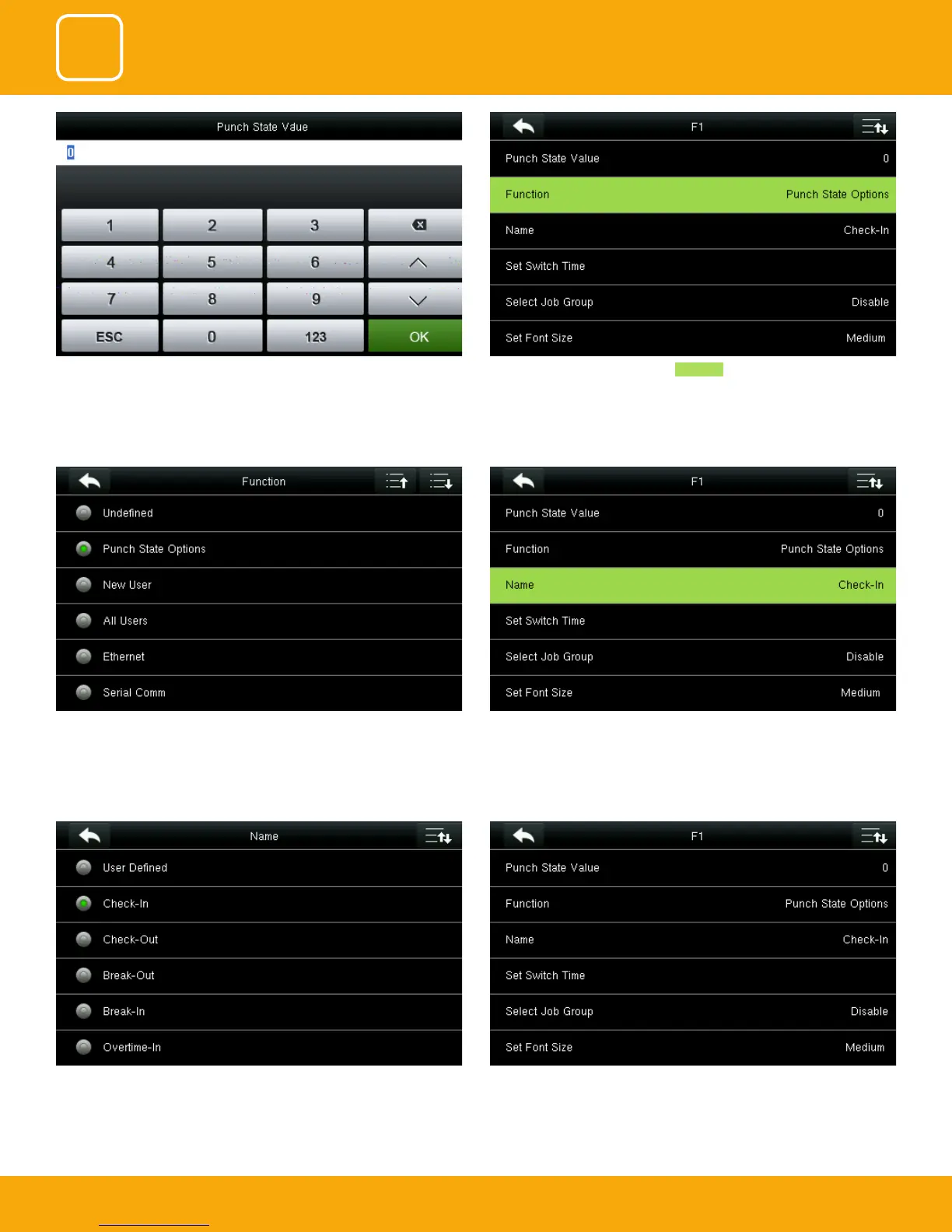
You can name the key for F1 you want from the options above. Here F1 is
selected as “Check in”.
Similarly, you can select the Job group or font size for that key you wish to
apply.
You can change the function for the keys above. Select name for F1
Here you can change the punch state value in the input screen by using the
keypad and press “OK”.
Here select punch state options as Function .



 To Next Page