COMMUNICATION
47
3
SYSTEM
47
4
PERSONALIZE
47
5
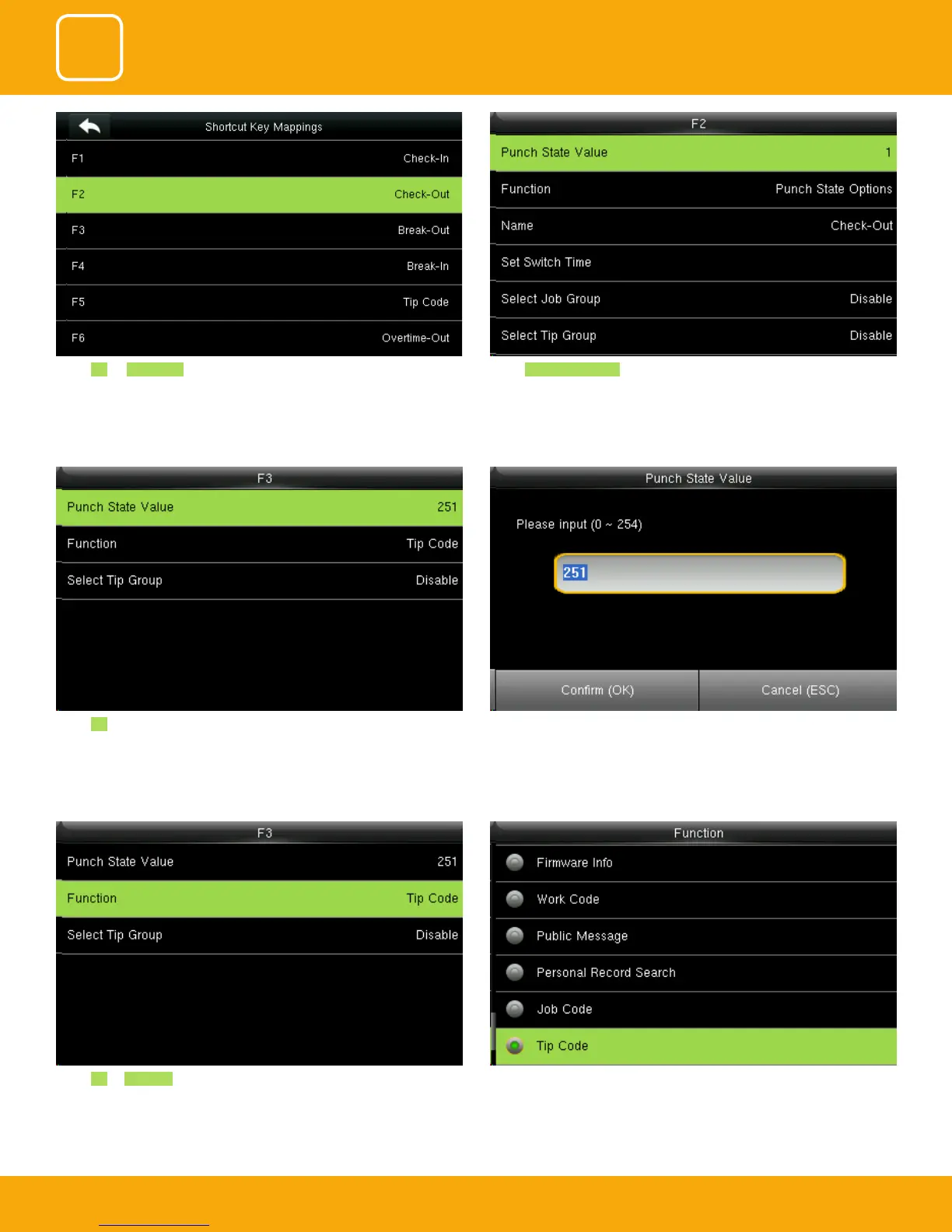
Select F3 as Tip code. For more details refer to No 13. You can change the function for that key from the image above.
Select F3 as “Tip code”.
Here the punch state value is set to 251
For more details refer to paragraph 13.
You can change the value of the punch state by changing the value in the
input screen with the help of keypad.
Select F2 as Check Out. Select Punch State Value.



 To Next Page