WORK CODE
86
11
JOB CODE
86
12
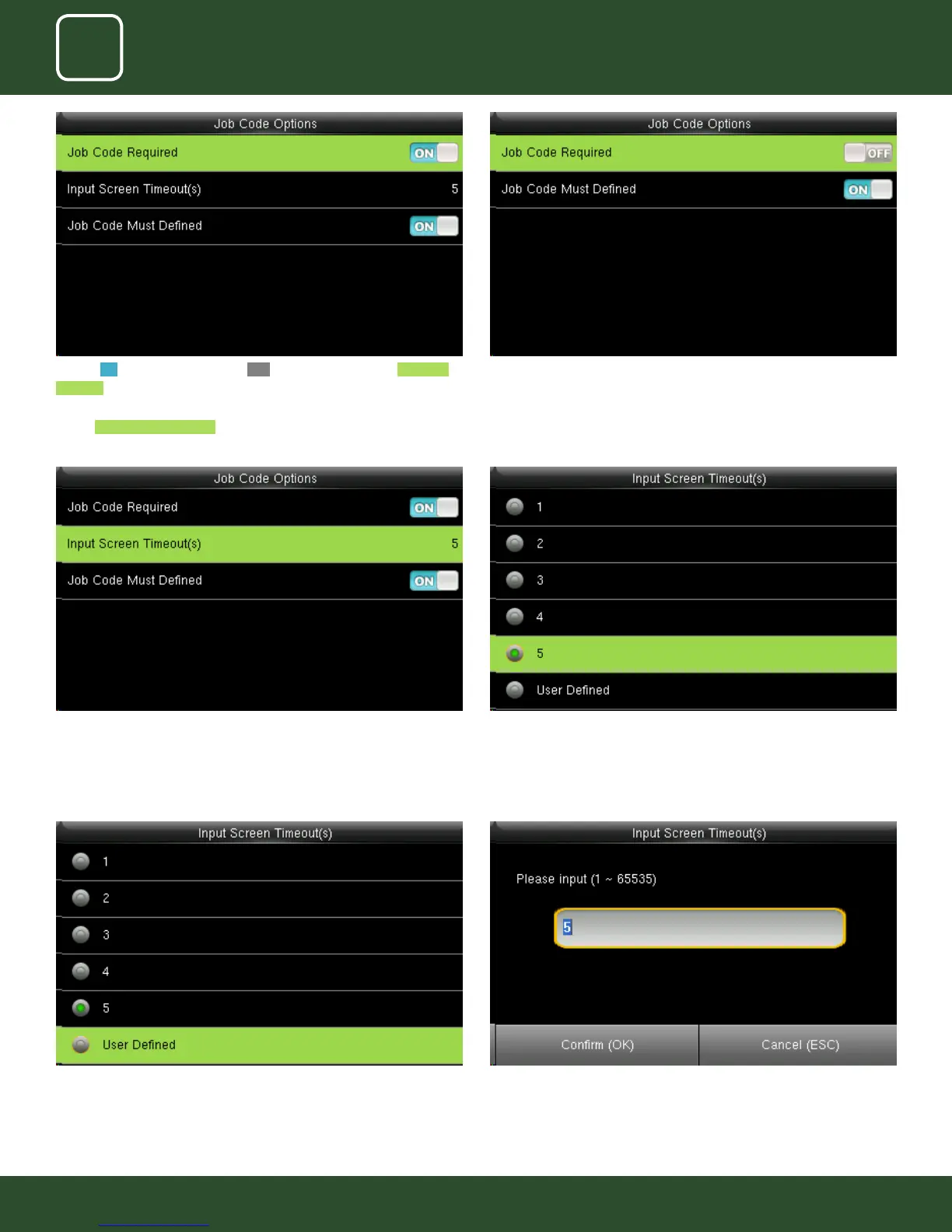
Select user dened function as shown above to set your own time for input
screen timeout.
After selecting user dened function, the screen above will allow you to
input the time.
Select Input Screen Timeout as shown above. Select the time you want the screen to go idle. In this case 5 seconds is
selected. when you select 5 seconds the screen will go to idle state if no
registration or activity is performed on the clock.
Turning ON options will enable and OFF options will disable the Job Code
Required function “Input Screen Timeout(s)” to set up the time period for
displaying the job code list in seconds.
Switch Job Code Must Dened to force a job code to be selected before
verication.
When you turned OFF the job code required function it will disable that
function.
When you turned ON the job code must have dened it will enable the
function and it will show as image above.



 To Next Page