WORK CODE
88
11
JOB CODE
88
12
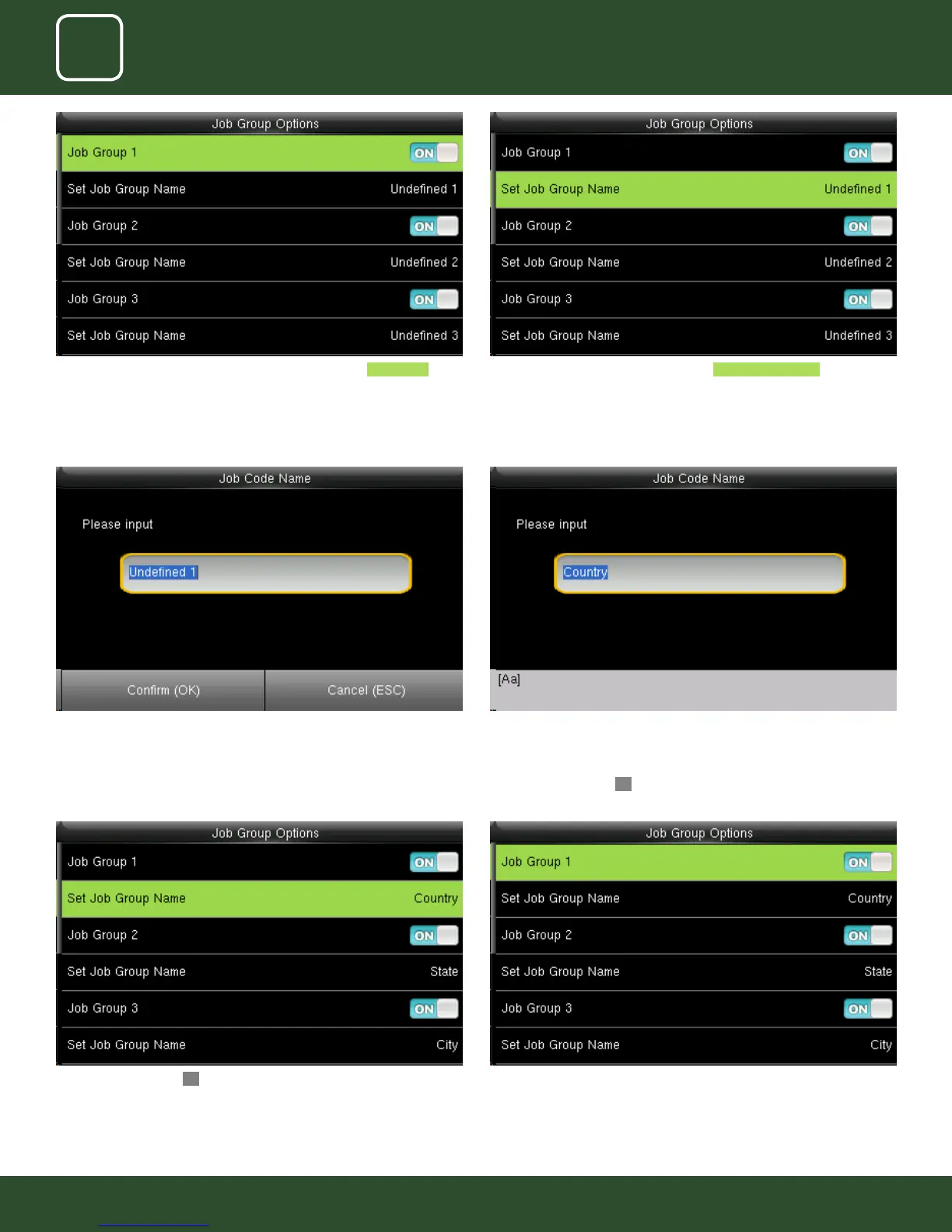
After you press conrm OK button the set group name will change from
undened 1 to Country as shown above.
Similar way you can put the dierent job group name as shown above.
Group1>> Country, group 2>> State Group3>> City.
To change the job group name to country as shown above we need to
press* key to switch the input method and type country using the keypad.
After that press conrmOK button.
Pressing switch will enable and disable the each individual Job Groups . The name of the group can be edit using Set Job Group Name individually.
To set a Job Group Name click on set job group name as shown above.
This screen will appear when you press the set job group name.



 To Next Page