English-51
004-1055-00
TP210 Rev. A
© 2013 Midmark Corp. | 60 Vista Drive Versailles, OH 45380 USA | 1-800-643-6275 | 1-937-526-3662 |
[Revised: 8/14/14]
J14
Foot Actuator Test
Isolating a Malfunction
Did Foot move Up and Down in Step 2? Required Action
YES Actuator is OK
NO Refer to: Foot Actuator Motor Resistance Test
Equipment Alert
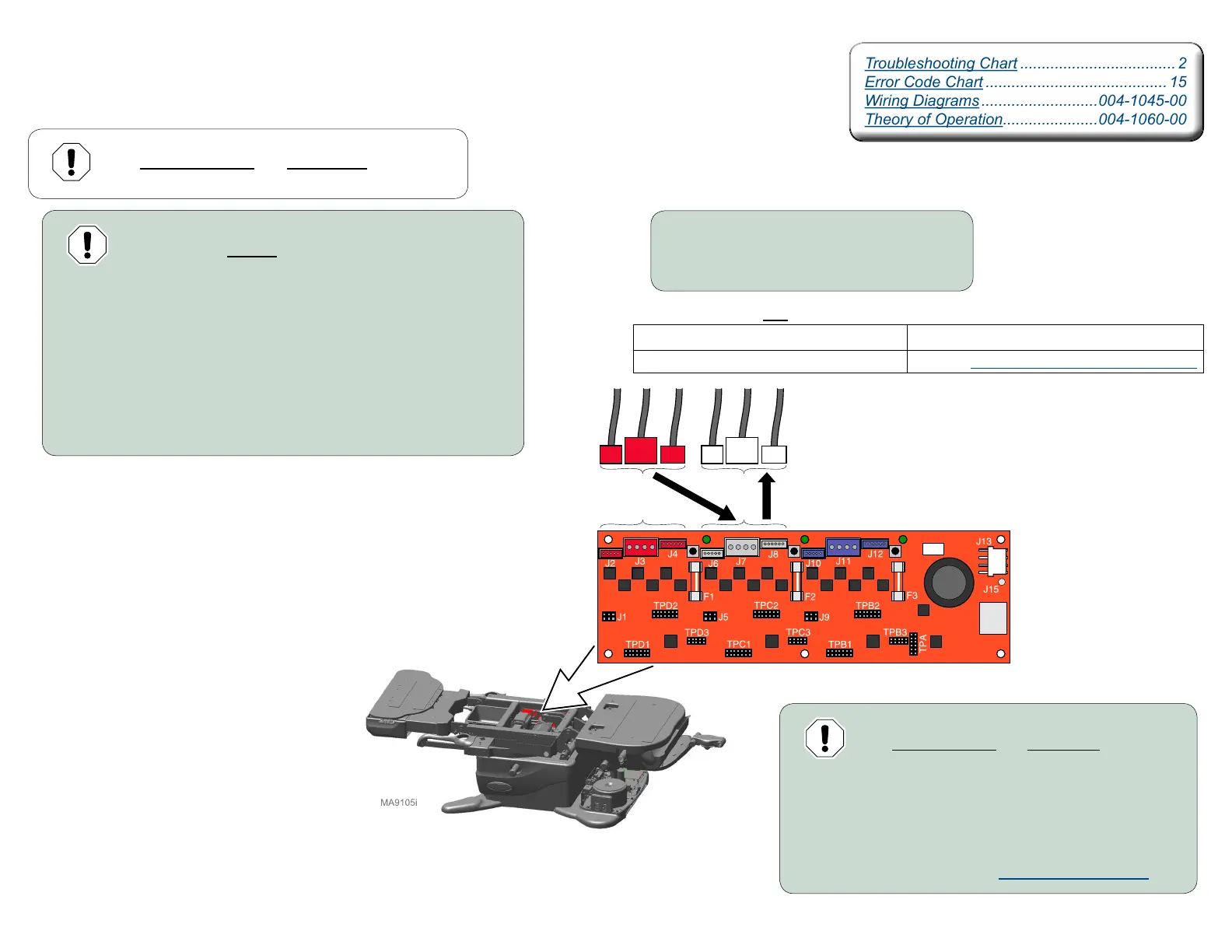
Failure to move all three connections
may result in damage to table.
Step 1:
A) Disconnect power to the table.
B) Disconnect Tilt actuator connections.
C) Move Foot wire connection J2 to Tilt PC Board connection J6.
D) Move Foot wire connection J3 to Tilt PC Board connection J7.
E) Move Foot wire connection J4 to Tilt PC Board connection J8.
F) Connect power to table.
Equipment Alert
The wire connections and wire routing must be put
back in original locations before installing covers.
Step 2: Using the hand / foot control:
A) Press & hold Tilt UP button briefly.
B) Press & hold Tilt DOWN button briefly.
Equipment Alert
The wire connections and wire routing must be put
back in original locations before installing covers.
Step 3:
A) Reconnect Foot actuator connections.
B) Reconnect Tilt actuator connections.
C) Calibrate Table. Refer to: Calibration Procedure
Motor Control Hub PC Board
Troubleshooting Chart .................................... 2
Error Code Chart .......................................... 15
Wiring Diagrams ...........................004-1045-00
Theory of Operation......................004-1060-00
Troubleshooting Chart .................................... 2
Error Code Chart .......................................... 15
Wiring Diagrams ...........................004-1045-00
Theory of Operation......................004-1060-00



 To Next Page