Troubleshooting 6-7
Error Message Troubleshooting Table
Power-On Self-Test Beep Codes
Audio beeps only. Video may or may not be present. See notes.
MESSAGE MEANING REQUIRED ACTION
No beep No system power Check power supply and cables
1 continuous beep Partial system power Check power supply and cables
1 short beep Normal start; no errors Check other VGM components
2 short beeps Processor problem Check processor/fan module
3 short beeps Graphics initialization problem Check Video Board, cables
4 short beeps Processor problem Check processor/fan module
5 short beeps Insufficient system memory Check DIMM circuit modules
6 short beeps Peripheral problem Check other VGM components
Notes
•
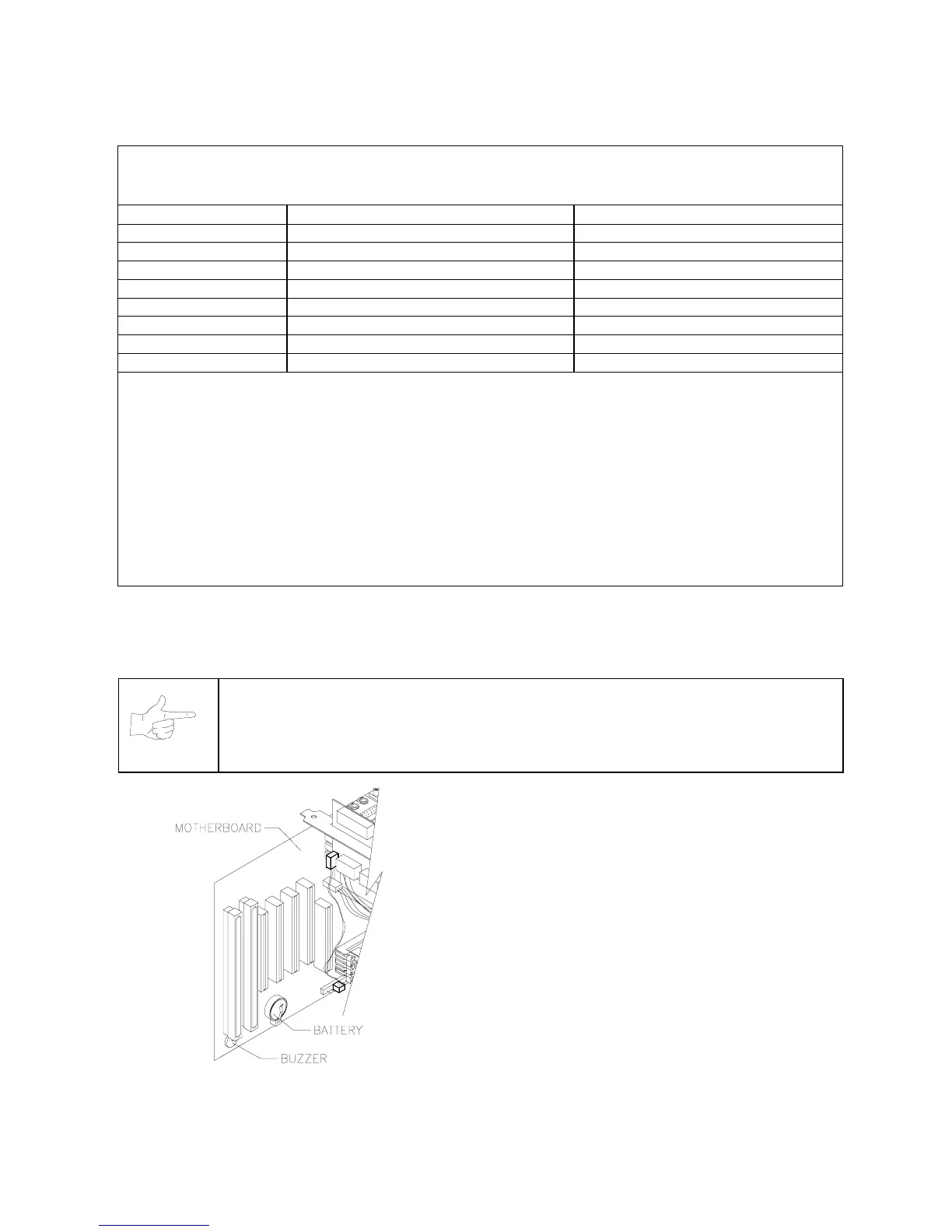
The audio buzzer that generates 1 kHz beeps is in the computer, inside the VGM (video game machine). If
you have difficulty hearing beep codes, remove the rear cabinet door and computer cover.
•
Arcade Computer circuit boards resemble those in personal computers. Yet Midway engineers
reprogrammed the boards for application in this VGM. Power-On Self-Test codes are unique to the Arcade
Computer in this VGM.
•
Wiring or peripheral circuit problems may not trigger on-screen error messages. You may discover difficulties
during Menu System diagnostic or calibration procedures.
•
For help with unresolved error messages, call your authorized distributor.
NOTICE:
Don’t attempt to move computer circuit boards into alternate slots. Midway
assigned boards to specific slots. The custom operating system won’t recognize
improperly placed boards, even though they function normally.
Location of Beeper in Arcade Computer












 To Next Page