Setup 1-4
PRODUCT CONFIGURATION
•
Standalone Units
Each VGM (video game machine) is ready to play right out of the box. You can use the VGM Menu
System to set player variables in advance. Or you can leave these choices to players.
•
Linked Units
Linking allows players to compete against each other (on one course). Operator menus are the same
as in stand-alone VGMs. With a coupler and linking cable, you can connect two VGMs. (You can
connect up to four VGMs with the optional Hub Linking Kit.) You’ll find a coupler in the spare parts
envelope. Look in the cashbox. The linking cable is factory installed.
INSTALLATION & INSPECTION
WARNING:
The cabinets are top-heavy. While moving the cabinets, don’t push against
plastic parts.
[ ] 1. Remove and set aside items from the shipping containers. Remove all packing material. Inspect
for damage. Check the main cabinet exterior, the control section and the seat pedestal.
[ ] 2. Remove the keys from the steering wheel. Unlock and open the coin, cash box, and rear doors.
You’ll find electrical cords, mechanical components, and VGM spare parts inside the cash box.
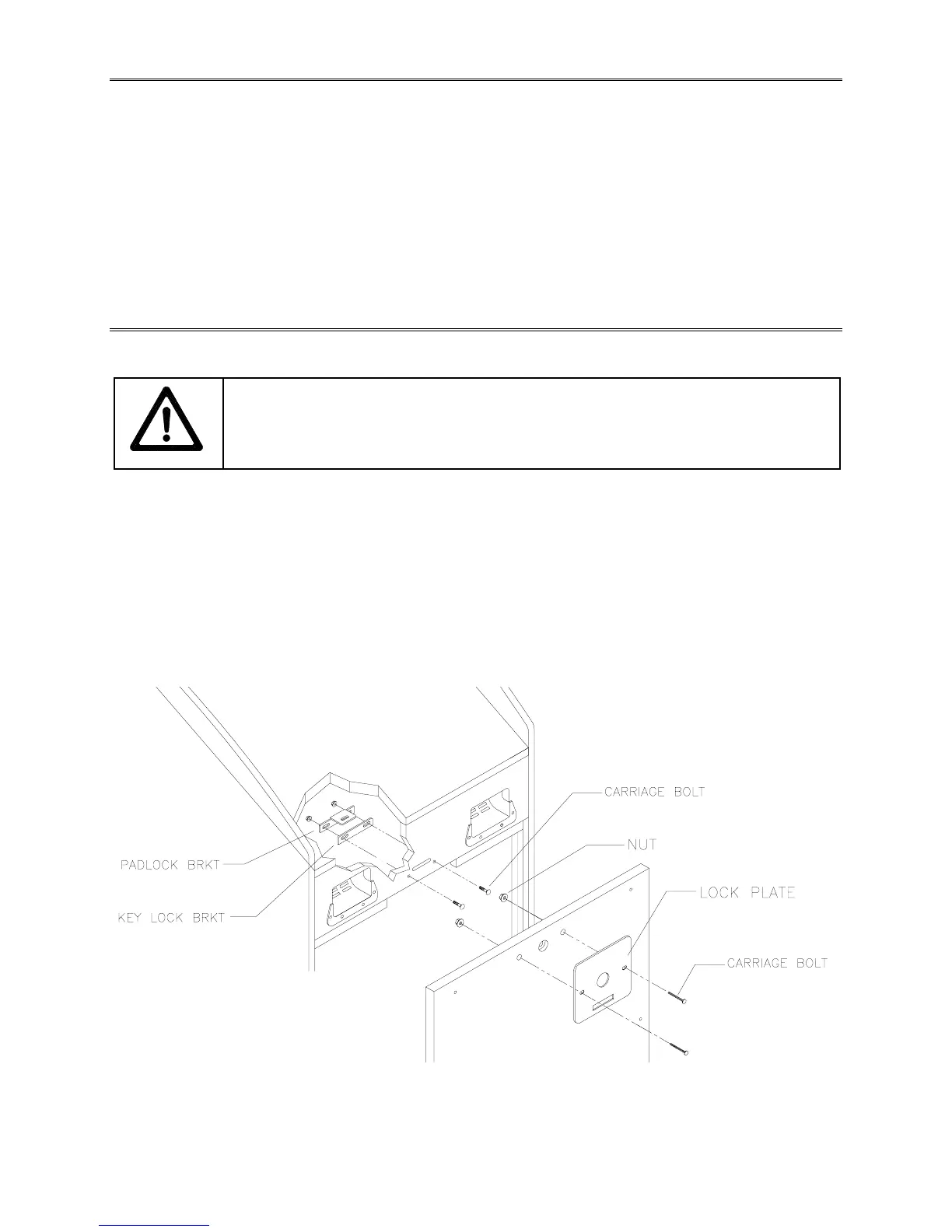
[ ] 3. You can install an extra padlock to secure the rear door. You’ll find a hasp in the spare parts bag.
Remove the two lock bracket nuts from inside the cabinet, above the rear door opening. Slide the
hasp onto the bolts. Now the hasp should protrude from the hole in back of the cabinet. Reinstall
and tighten nuts.
CABINET SECURITY MODIFICATIONS
[ ] 4. Modify the lock plate at the top of the rear door. Remove the bolts and nuts from the lock plate.
Rotate the plate so that the slot will be above the door. Reinstall and tighten the bolts and nuts.












 To Next Page