Diagnostic, Audit & Adjustment Menu System 3-2
MENU SYSTEM
WHAT IS THE MENU SYSTEM?
The game’s Menu System is a series of auditing, game adjustment and diagnostic screens. You can
easily access and apply these screens to optimize game performance. For instance…
•
Use game audits screens to assess game performance.
•
Use adjustment screens to help you to customize game performance. For instance, you can restore
factory default game settings. You can also calibrate player controls for accuracy.
•
Use diagnostic screens to verify proper equipment operation.
ACTIVATING THE MENU SYSTEM
Open the coin door. Find the TEST MODE switch inside. Press TEST MODE to invoke the Menu System.
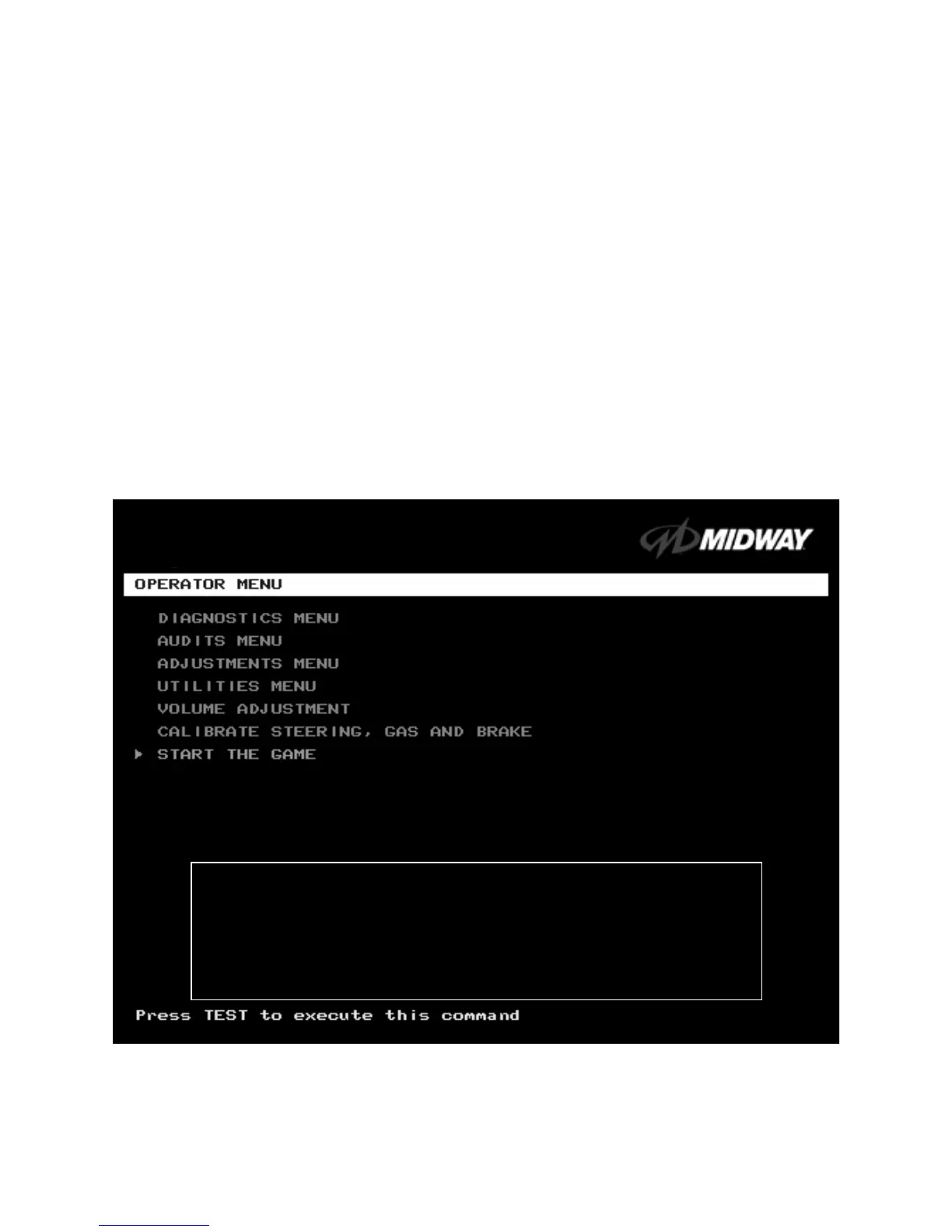
The game system responds by exiting Game Mode and entering Diagnostic Mode. The system runs a
brief self-test, and then displays the Operator Menu. The Operator Menu is the opening screen of the
Menu System.
Game audits, adjustments and diagnostics are line items on the Operator Menu. Selecting an item opens
its submenu. Every submenu presents various options that you
may act upon.
OPERATOR MENU
MENU LAYOUT
Menus differ, but related information tends to occupy the same screen locations.
OFF ROAD THUNDER
1999 Midway Home Entertainment Inc.
All rights reserved.
OFF ROAD THUNDER is a trademark of Midway Home Entertainment Inc.
MIDWAY is a trademark of Midway Games Inc.












 To Next Page