Troubleshooting 6-9
Player Control Troubleshooting Table
SYMPTOM CAUSE REQUIRED ACTION
Faulty switches or
lamps
1. Enter Menu System by pressing and holding
TEST MODE switch inside coin door. From
Diagnostic Menu, choose SWITCH TEST. Run
tests to confirm switch operation.
2. Check for loose parts or wires caught in switch
contacts.
3. Check continuity at each switch connection
(Common to Normally Open or Common to
Normally Closed).
4. Verify that control operates properly by placing it
in working VGM.
5. Verify that dashboard switch light bulbs are type
specified in parts listing. Other types light, but
may produce too much heat. Eventually excess
heat may cause switches to bind.
•
Intermittent or completely
non-functional player
controls
•
VGM (video game machine)
starts normally.
Faulty switch wiring 1. Check for wires caught in door hinges, latches,
or switch contacts.
2. Verify that harness connectors are attached and
fully seated.
3. Assure that control switches connect properly to
control input wires.
4. Check that cabinet wiring is correct for this VGM.
•
Steering pulls to one side
Faulty Wheel Driver
Board
Find power amp on Wheel Driver Board’s large
heatsink. Test and replace bad part or board.
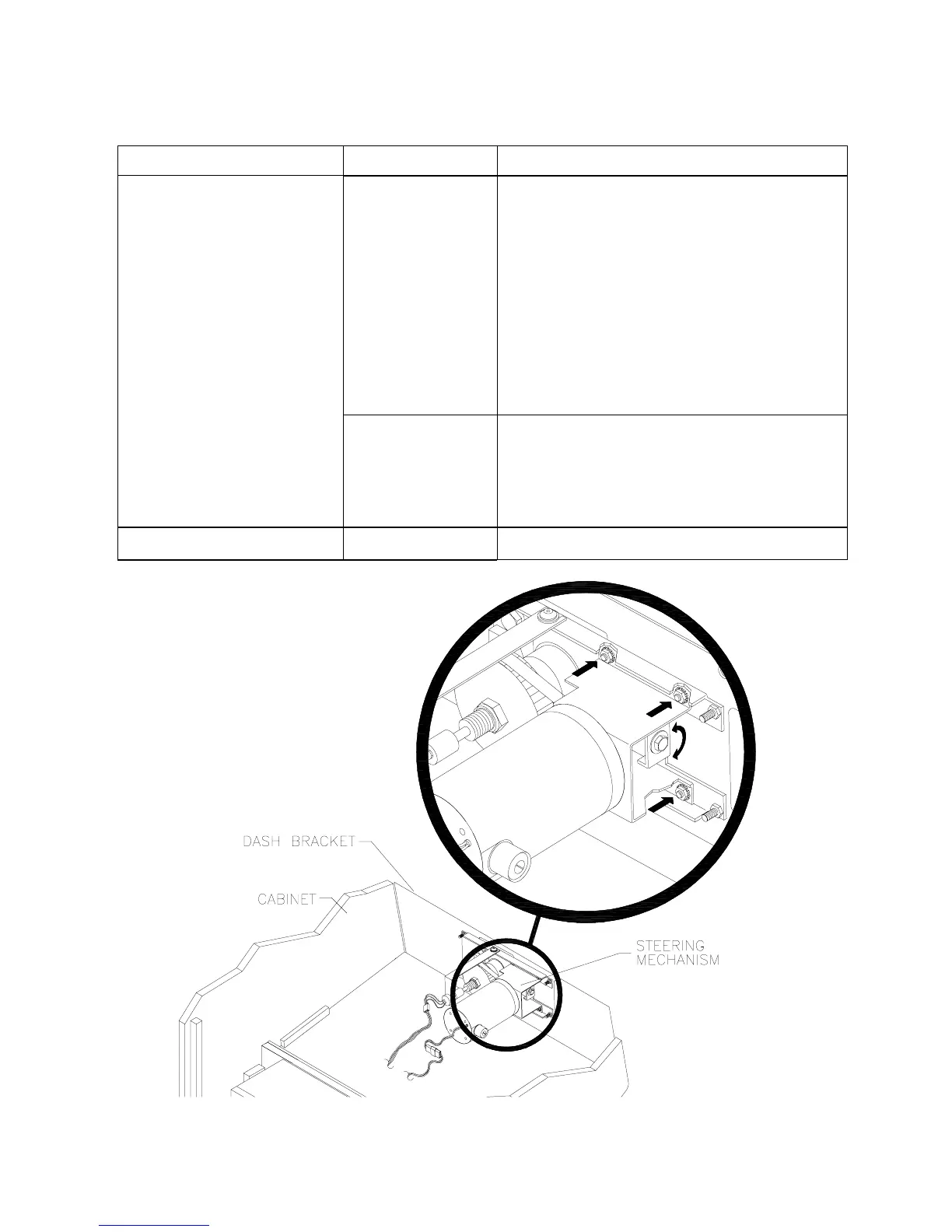
How to Adjust Belt Tightness












 To Next Page