Troubleshooting 6-16
Miscellaneous Problem Troubleshooting Table
SYMPTOM CAUSE REQUIRED ACTION
Faulty fluorescent
tube
1. Remove fluorescent tube from its sockets. If you
find cracks or darkened ends, install new lamp.
Clean tube.
2. Check continuity of both fluorescent tube
filaments.
3. Verify that fluorescent tube operates by placing it
in working VGM.
Faulty lamp fixture Verify that lamp pins make good connection with
socket contacts.
•
Marquee lamp is intermittent
or non-functional
•
VGM (video game machine)
starts and plays normally
Faulty wiring Measure fluorescent lamp AC voltages. Check
wiring and connector continuity from AC power
chassis to lamp assembly.
Obstructed fan
1. Check bottom and rear of cabinet for blocked
airflow.
2. Move VGM away from sources of heat.
3. Turn off VGM power. Remove dust from vent
holes with high-power vacuum cleaner.
Faulty wiring Check fan wiring and connectors.
•
VGM operates normally
•
Cabinet becomes warm after
several hours of use
Faulty fan Check operation of all fans.
•
Error messages appear on
screen
Faulty hardware
1. Check any assembly (RAM, ROM, Battery, etc.)
identified in error messages.
2. Call your authorized distributor for help with
unresolved screen messages.
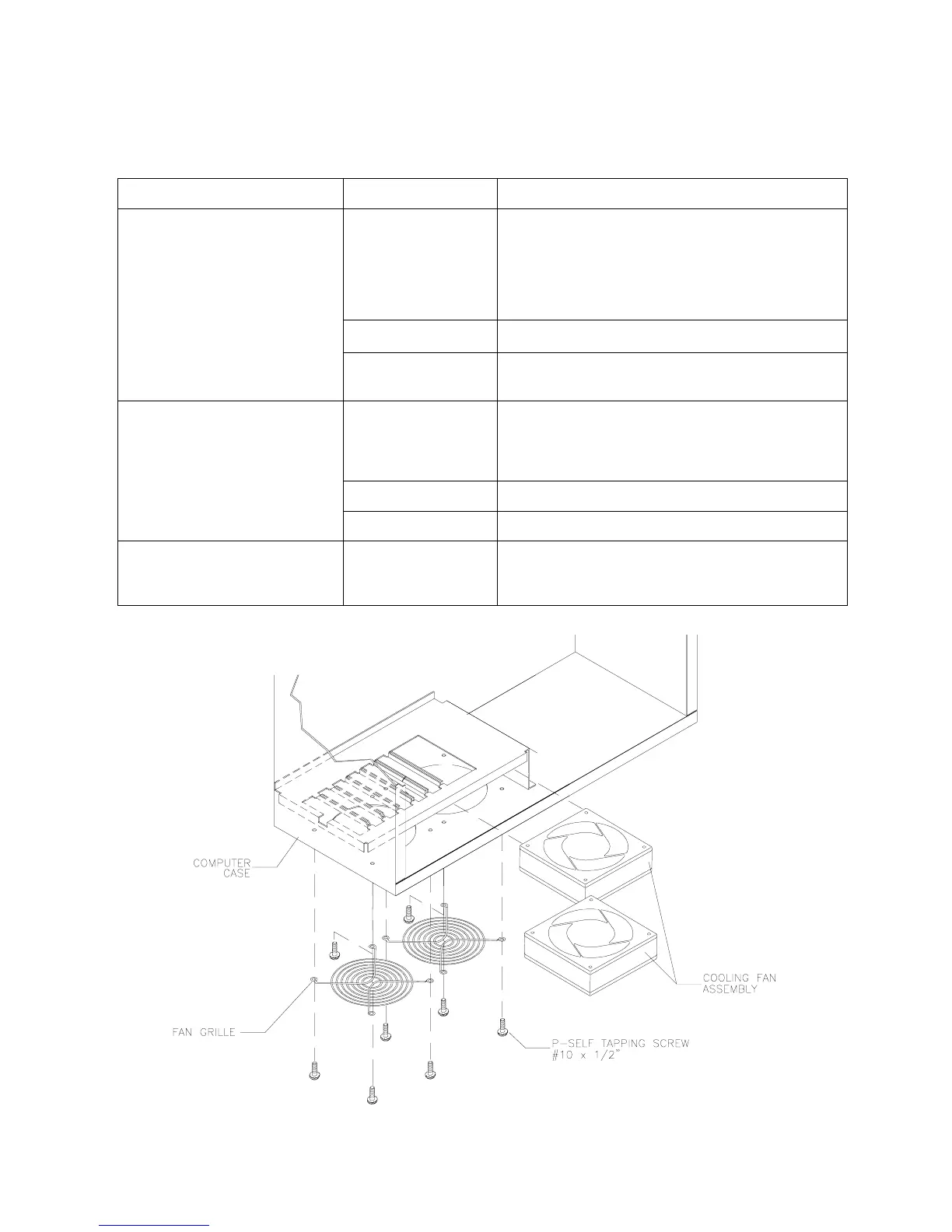
Fan Location and Mounting












 To Next Page