Diagnostic, Audit & Adjustment Menu System 3-17
Operator Menu (continued)
Adjustments Menu (continued)
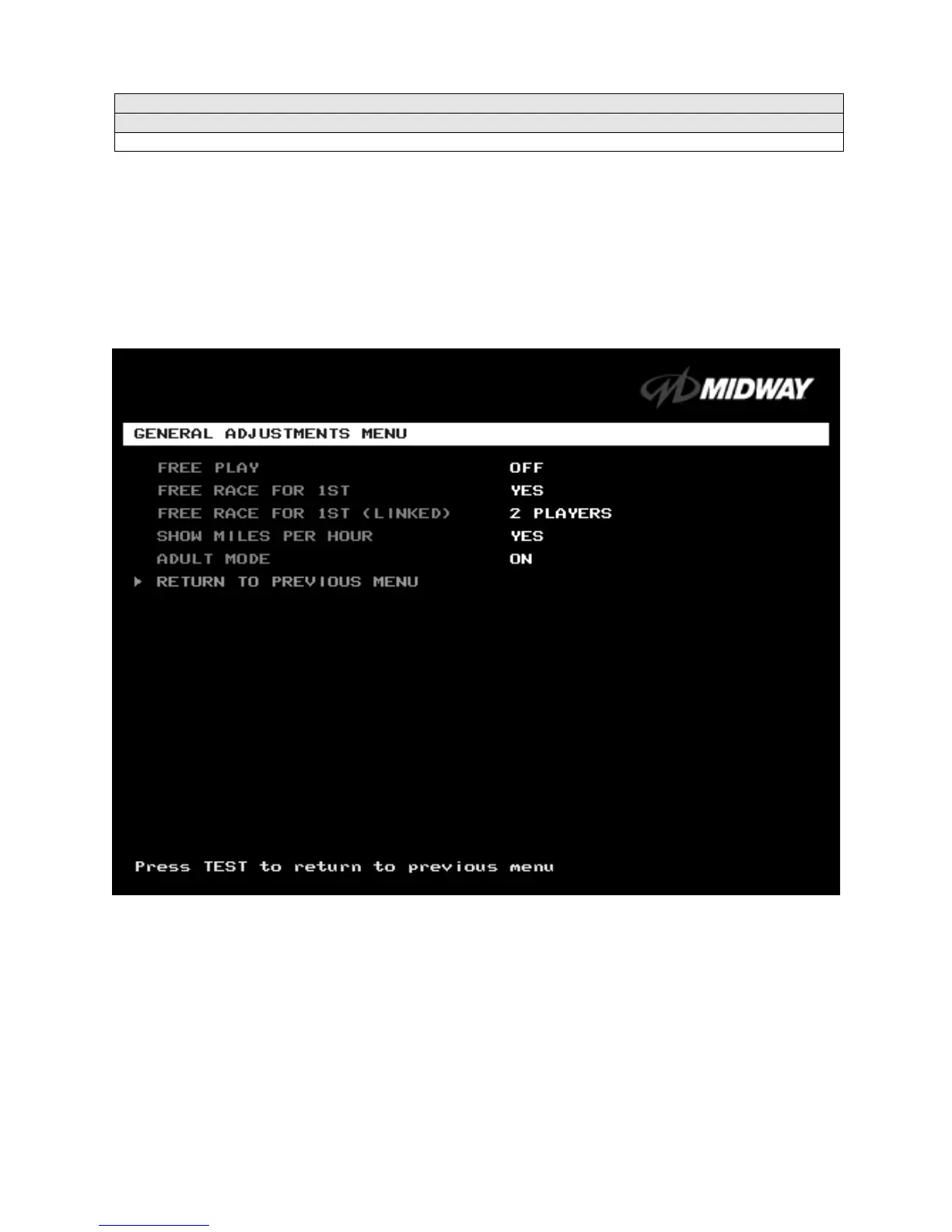
General Adjustments Menu
GENERAL ADJUSTMENTS MENU
Select GENERAL ADJUSTMENTS MENU at the Adjustments Menu. At the General Adjustments Menu,
you set the cabinet type, game display and measurement system. General Adjustments Menu options
also control the cost and type of play.
Highlight an option with the middle two diagnostic buttons inside the coin door. Press TEST MODE to
enter Change Mode. Use the diagnostic switches to change the variable. Then press TEST MODE to save
changes and exit the variable.
GENERAL ADJUSTMENTS MENU
FREE PLAY
determines whether the game accepts money for play, or allows operation without charge.
For free play, turn this option on. For paid play, turn this option off (the factory default).
FREE RACE FOR 1
ST
permits a free game for players who finish in first place. To award a free race to a
first-place finisher, turn this option on. To eliminate the free race award, turn this option off. The factory
default is on.
FREE RACE FOR 1
ST
(LINKED).
This feature awards a free game to the first place finisher among human
players. The feature only operates when a minimum number of players join in. To award a free race to a
first-place finisher, turn this option on. To eliminate the free race award, turn this option off. Available
settings include 2, 3 or 4 players, or off. The factory default setting is off.












 To Next Page