Diagnostic, Audit & Adjustment Menu System 3-32
Operator Menu (continued)
Adjustments Menu (continued)
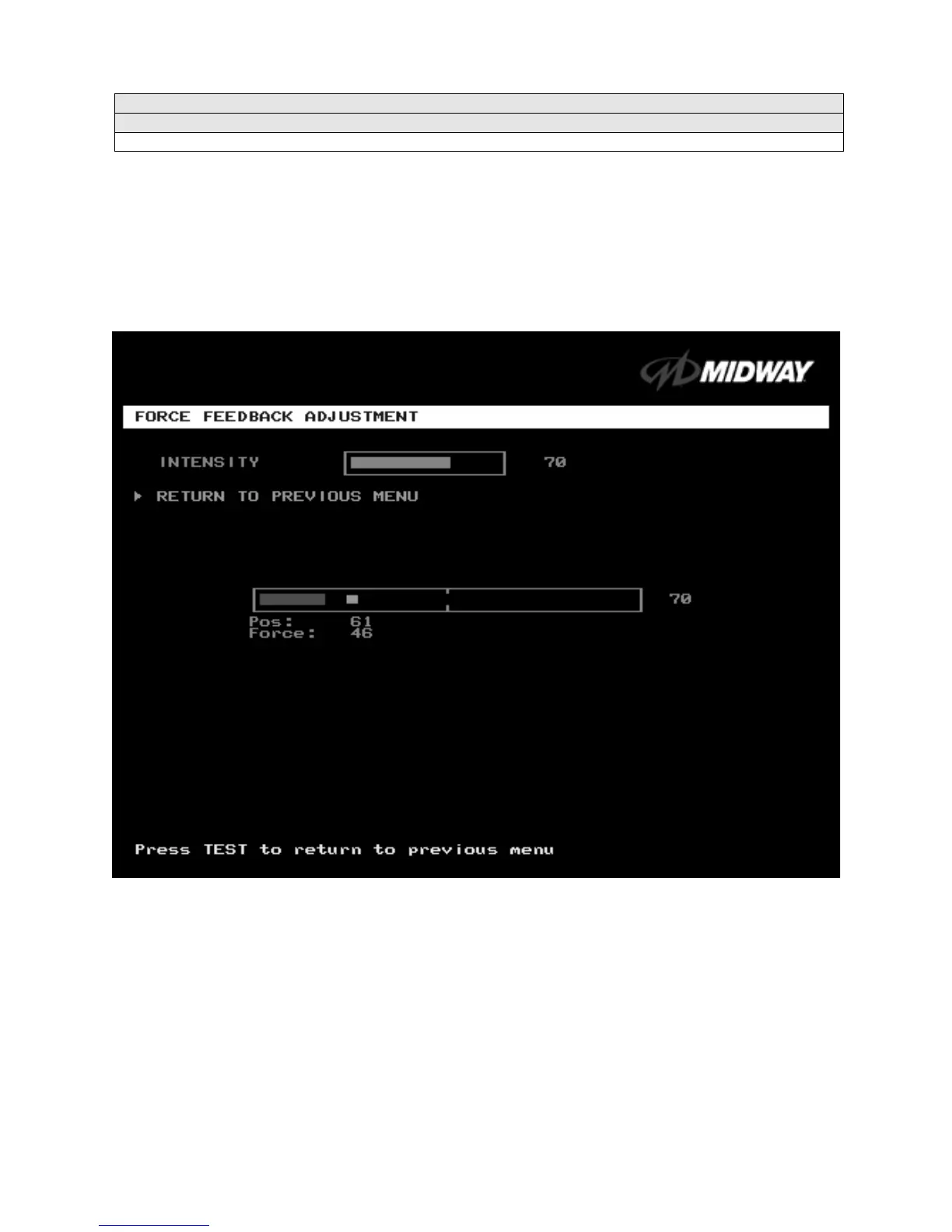
Force Feedback Adjustment Menu
FORCE FEEDBACK ADJUSTMENT
Select FORCE FEEDBACK ADJUSTMENT MENU at the Adjustments Menu. The Force Feedback
Adjustment Menu allows you to alter the intensity of steering wheel feedback.
Highlight an option with the middle two diagnostic buttons inside the coin door. Press TEST MODE to
enter Change Mode. Use the diagnostic switches to change the variable. Then press TEST MODE to save
changes and exit the variable.
FORCE FEEDBACK ADJUSTMENT MENU
THE INTENSITY ADJUSTMENT
ranges from 0% (minimum) to 100% (maximum). The factory default
setting is 60%. If players have superior upper body strength, apply greater force. Younger players may be
more comfortable with smaller force settings.
THE FORCE FEEDBACK CENTER TEST
checks operation of steering wheel motor drive circuits. Select
this option and move the steering wheel to any position. As soon as you release the wheel, it must
automatically return to its center position. If it doesn’t, then the vehicle won’t respond properly.












 To Next Page