Diagnostic, Audit & Adjustment Menu System 3-39
Operator Menu (continued)
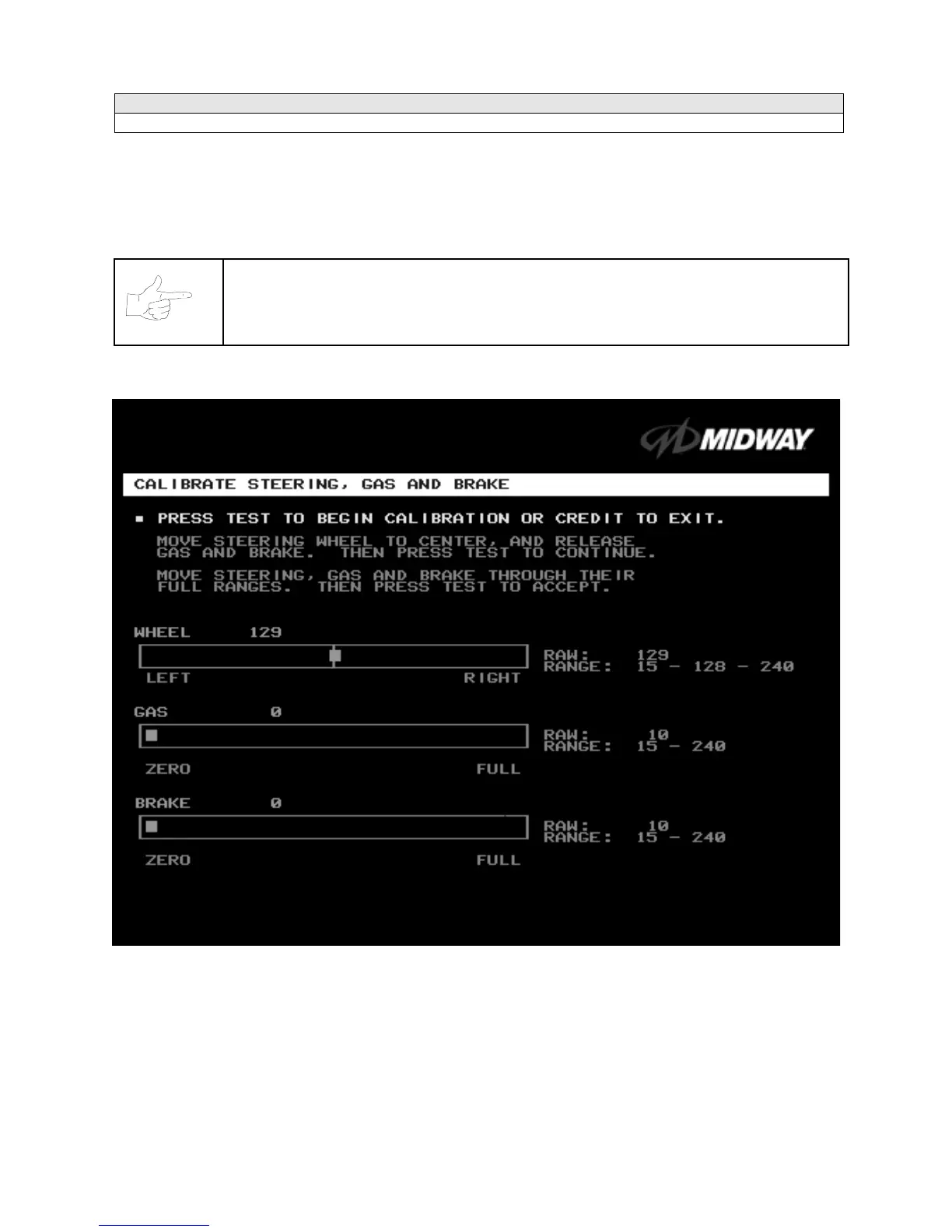
Calibrate Steering, Gas and Brake Menu
CALIBRATE STEERING, GAS AND BRAKE
Select CALIBRATE STEERING, GAS AND BRAKE at the Operator Menu. (You can also access this
menu from the Adjustments Menu.) This option allows you to set steering and throttle mechanisms for
optimum control during game play. Poorly calibrated player controls can reduce profits.
NOTICE:
Before calibrating player control switches, make needed repairs to the game. If
you plan to move the game, move it before calibrating player control switches.
To set up each calibration procedure, follow screen directions. Press TEST MODE to begin the procedure.
STEERING, GAS AND BRAKE CALIBRATION SCREEN
The steering wheel, brake and gas pedal couple to potentiometers. These potentiometers output DC
voltages between zero and five volts. Game electronics digitize this analog output into an eight-bit (256-
value), numeric stream.
Watch the numbers on the calibration screen. These numbers vary to indicate a control’s position within
that control’s range of motion. For instance, steering straight ahead produces a number halfway between
the left and right steering limits. To accurately simulate steering, numbers must change sequentially.












 To Next Page