Product description
7
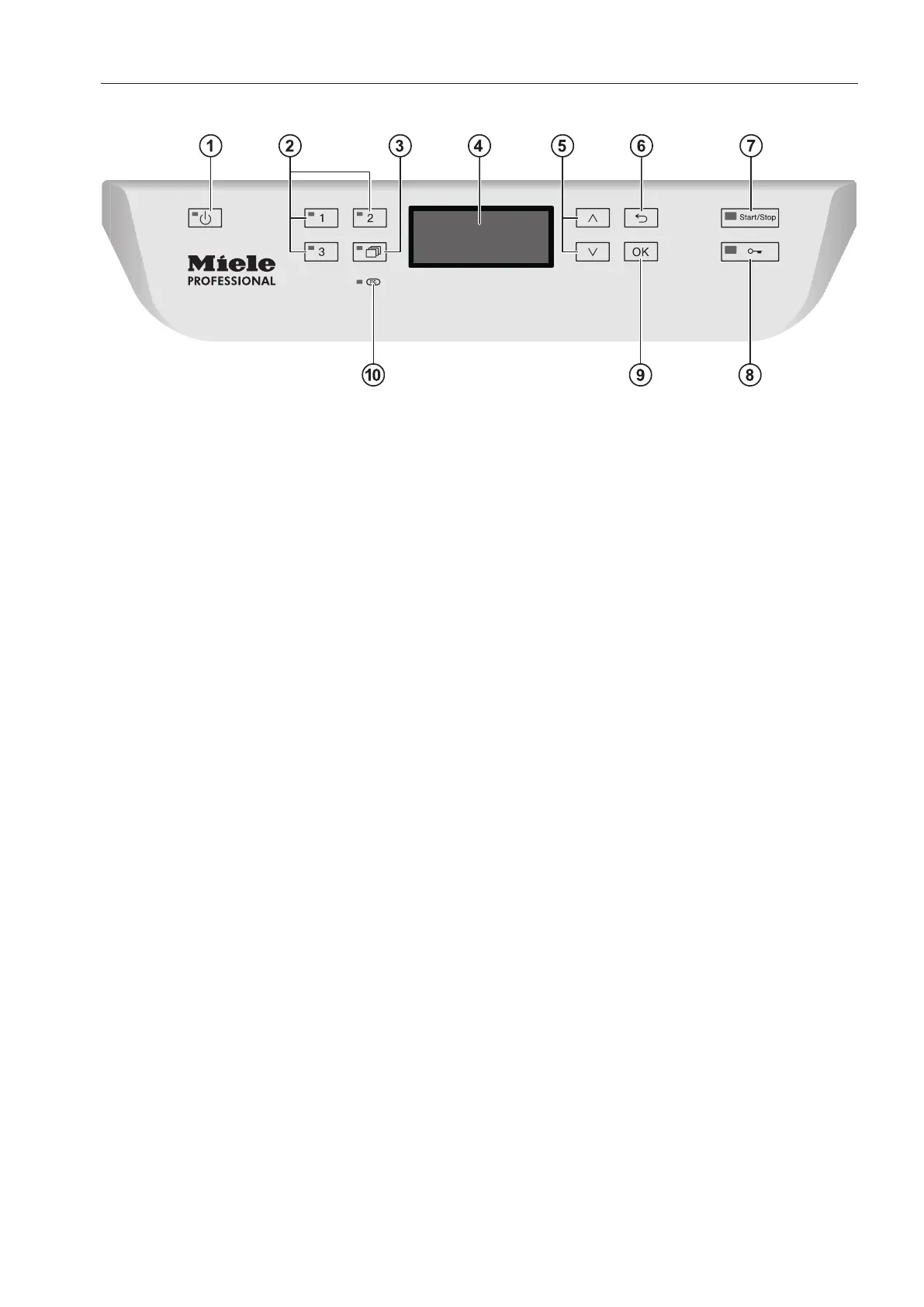
Control panel
a
button (on/off)
Turns the commercial dishwasher on and
off
b
Buttons 1–3 (programme selection
buttons)
Direct-access pushbuttons for storing
favourite programmes
c
button (further programmes)
For selecting additional programmes
d
Display
User interface
e
and button (arrow buttons)
For navigating in the user interface
f
button (cancel or back)
For cancelling a process in the user
interface
(not for cancelling programmes)
g
Start/Stopbutton
For starting or cancelling a programme
h
button (door release)
Opening the door
i
OKbutton (confirmation)
For selecting options or confirming entries
in the user interface
j
Service interface
Testing and transmission point for the
Miele Customer Service Department



 To Next Page