3. Selecting a programme and settings
22
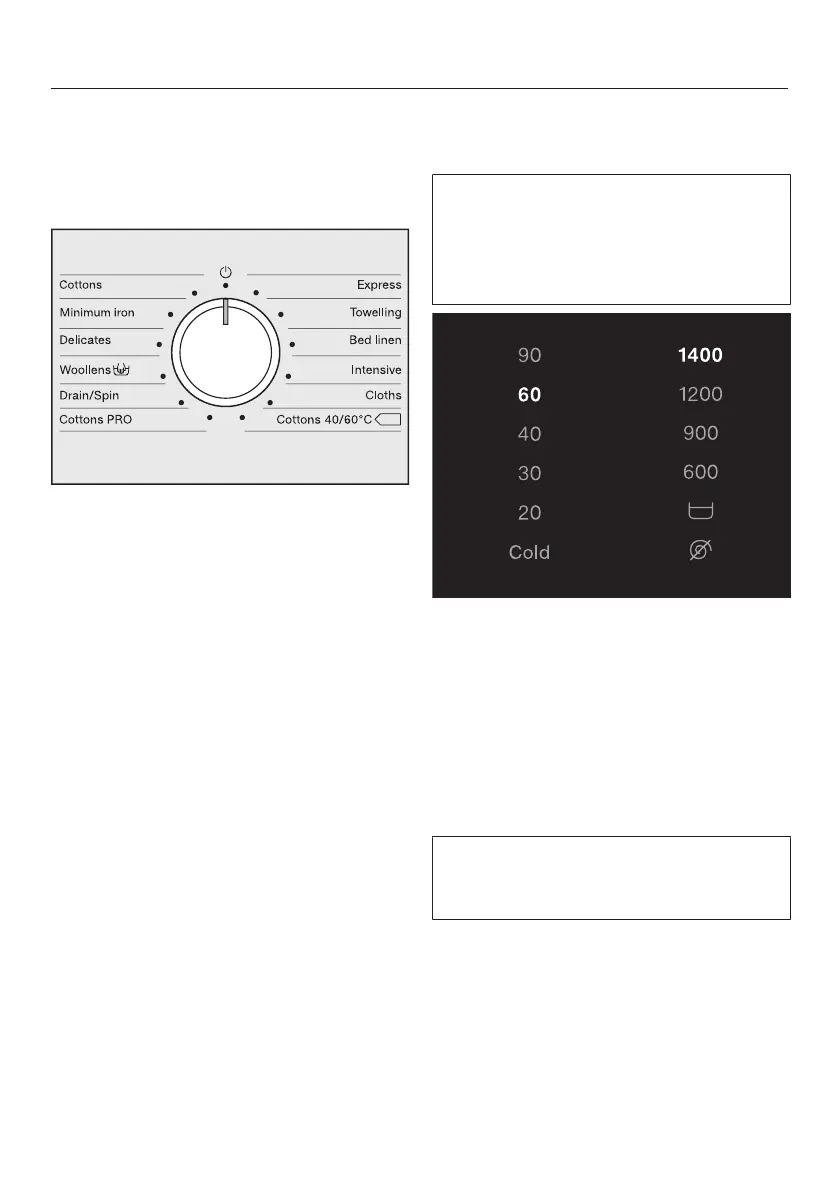
Selecting a programme
The washing machine is switched on by
turning the programme selector to a
wash programme.
Turn the programme selector to the
required programme.
The estimated wash time is shown on
the time display and the pre-set tem-
perature and spin speed light up in the
control field.
Selecting a temperature and
spin speed
The wash programme’s pre-set tem-
perature and spin speed light up
brightly. The choice of available tem-
peratures and spin speeds for the
wash programme light up dimly.
Touch the sensor control for the tem-
perature you want.
The sensor control lights up brightly.
Touch the sensor control for the spin
speed you want.
The sensor control lights up brightly.
Selecting Pre-wash
If a pre-wash can be selected for the
wash programme, the Pre-wash
sensor control lights up dimly.
Touch the Pre-wash sensor control.
The sensor control lights up brightly.
The programme duration is increased.



 To Next Page
 Loading...








