Quick start
9
Apps
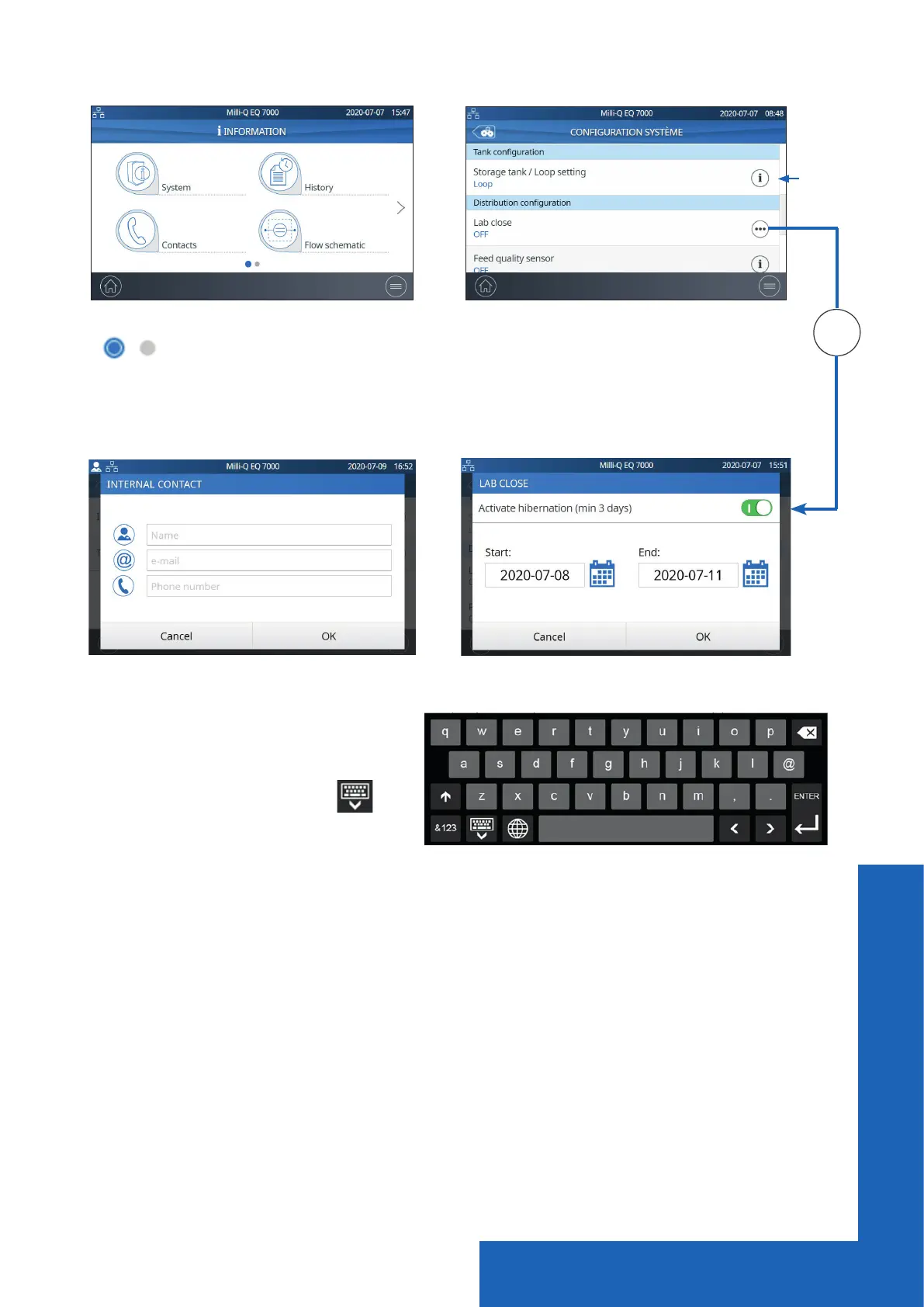
Indicates how many screens are present and where you are.
Swipe left & right anywhere on screen to switch between screens.
Pops-up
When you click in a zone of text, the
keypad will automatically appear.
To remove the keypad click on
or
on any zone outside the keypad.
Note: When in a menu or app level screen, 1 minute of inactivity generates a timeout back
to the home screen.
When in a pop-up level screen, there is no timeout, therefore the user remains on this screen
until the pop-up is manually closed.
When there
are multiple
lines, a
scroll bar is
present to
swipe up &
down


 To Next Page