Pellicon-2 and 3 Mini Holder User Guide 11
Align the filter cut-outs with the tie rods, and insert the filter so it is parallel with the 3.
manifold as, shown in Figure 8.
Note The fi lter will extend beyond the edges of the manifold and end plate if the fi lter
does not properly align to the feed, retentate, and permeate holes.
Holding the manifold with one hand, slide the filter gasket (Pellicon 2 Cassettes 4.
only) tabs over the tie rods and press the filter gasket (Pellicon 2 Cassettes only)
against the filter, as shown in Figure 8.
Repeat steps 3–5 for additional cassettes.5.
Attaching the End Plate
Holding the manifold gaskets (Pellicon 2 Cassettes only) and filter(s) in place with 1.
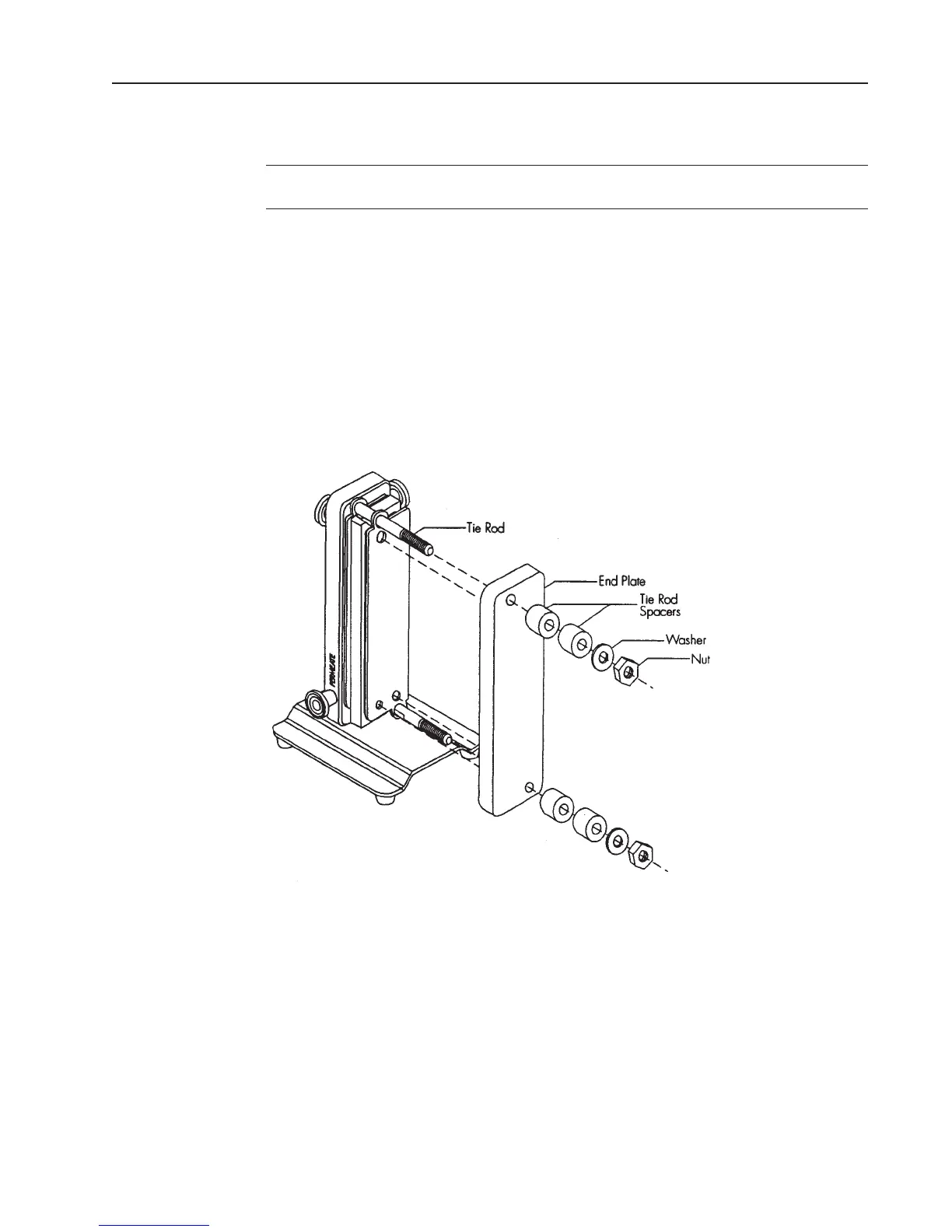
one hand, slide the end plate holes over the tie rods, as shown in Figure 8, and press
the end plate against the filter.
Attaching the end plateFigure 9:
Place an equal number of spacers on each tie rod depending on the number of 2.
filters in use.
Place one washer and one nut on each tie rod, as shown in Figure 8, and hand 3.
tighten.
Tighten the holder with the torque wrench and socket. The torque wrench setting 4.
for 180-200 inch-pounds (20.3-22.6 Newton-meters). Check the torque wrench
(not supplied with the holder) setting for 180-200 inch-pounds (20.3-22.6 Newton-
meters) prior to use. Refer to the next section to set the torque wrench.










 To Next Page