Page 58 MiniRanger Plus 7ML19981CJ01
Parameter Description
In the RUN mode, Readings are displayed in volumetric units, see Max
Volume (P051). When percent is selected, the displayed Reading is the
calculated volume as a percentage of Max Volume.
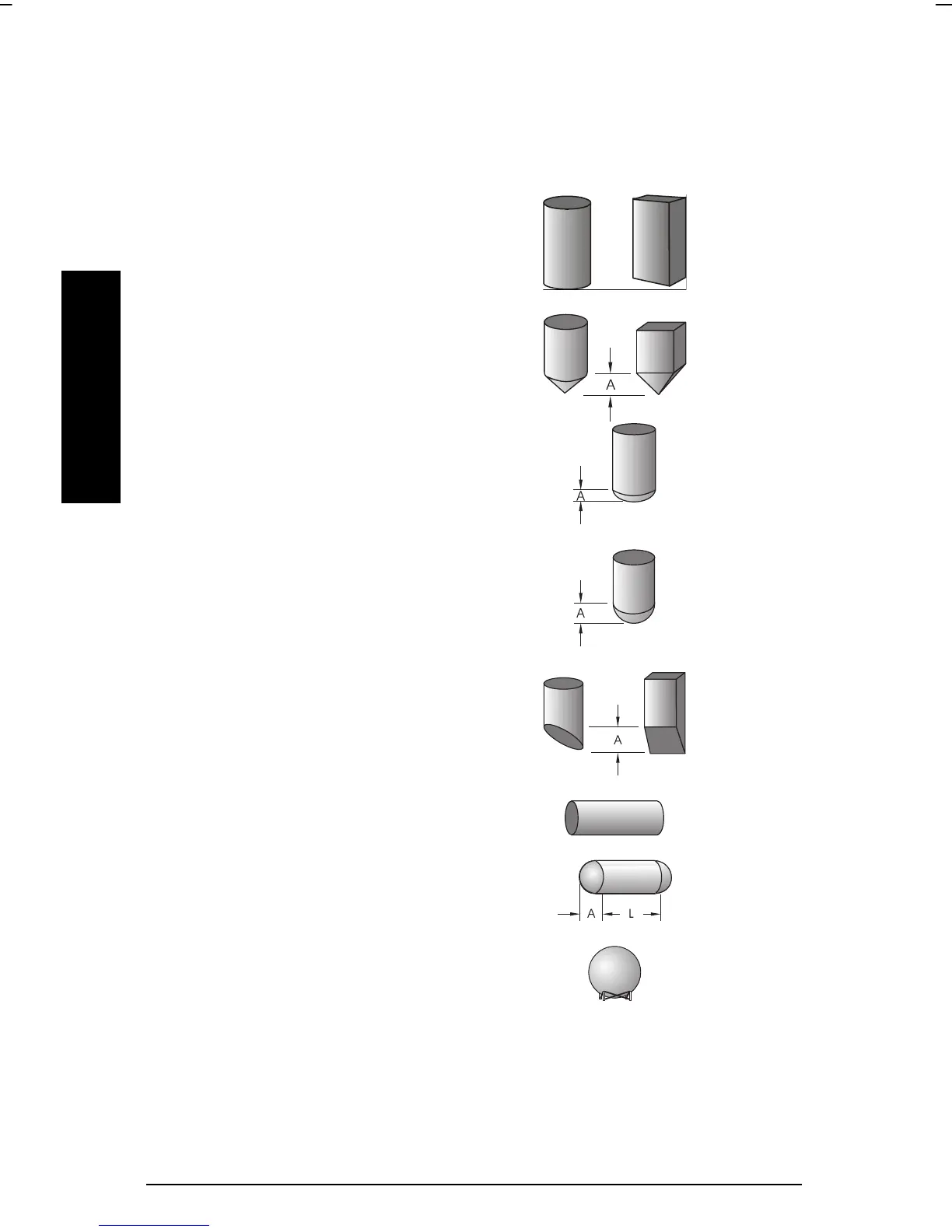
entry:
0 = disabled (Factory)
1 = flat bottom
2 = conical or pyramidal bottom
3 = parabolic bottom
4 = spheric bottom
5 = angled bottom
6 = flat ends
7 = parabolic ends
8 = sphere
Tank dimensions ‘A’ and ‘L’ are entered via parameters P052 and P053 respectively.



 To Next Page