EasyManua.ls Logo

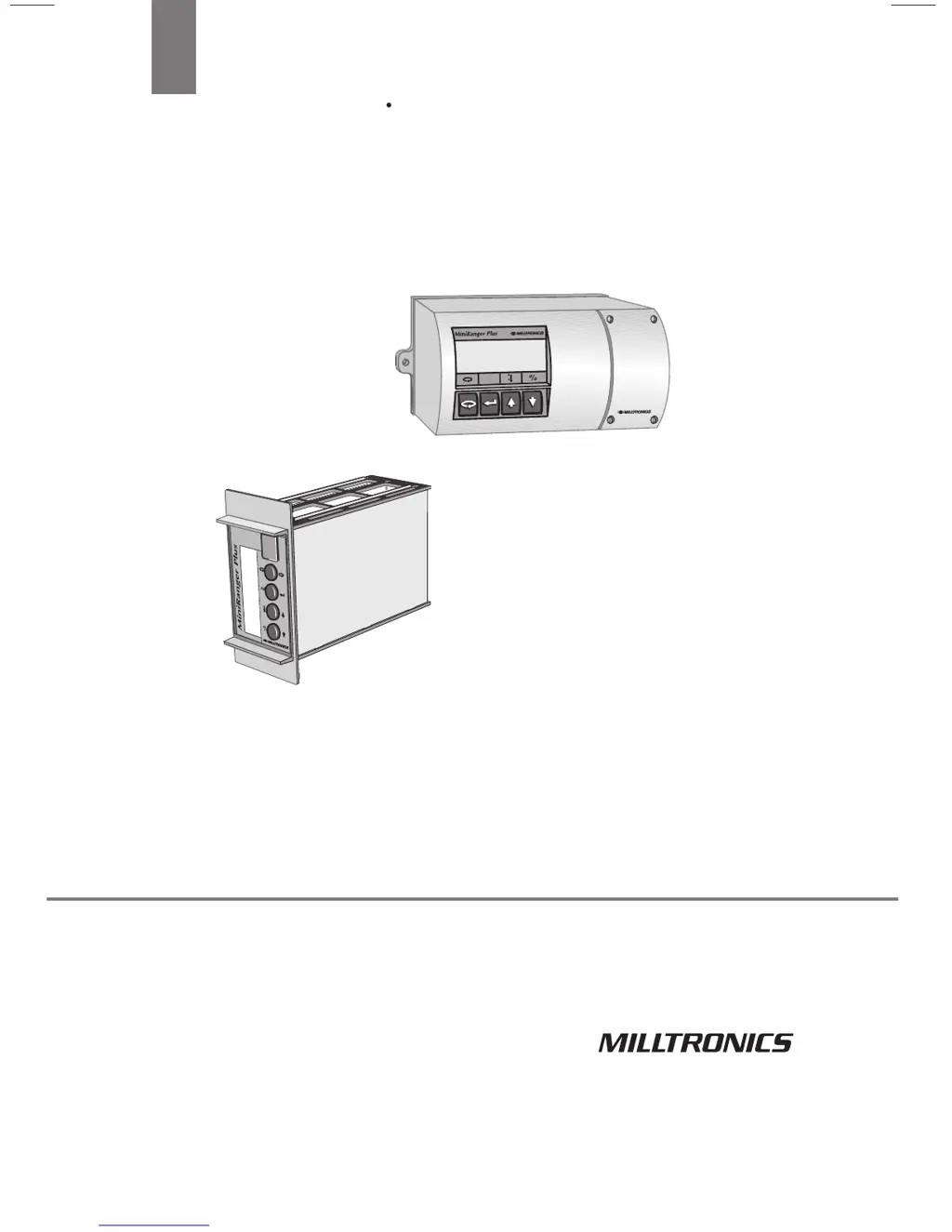
Milltronics miniranger plus - User Manual

Milltronics miniranger plus
77 pages
Print Icon
To Next Page IconTo Next Page
Loading...
Instruction Manual January 2003
PLUS
miniranger
MA

Questions and Answers

  • S
    smithmelodySep 9, 2025
    What to do if my Milltronics Industrial Equipment screen is blank?
    • K
      kimjenniferSep 9, 2025
      If the screen on your Milltronics Industrial Equipment is blank, the most likely cause is a loss of power. Check the power wiring to ensure the device is receiving power.
  • D
    Denise McdanielAug 23, 2025
    What to do if Milltronics miniranger plus reading does not change, but the level does?
    • S
      Stacy RodriguezAug 23, 2025
      If your Milltronics Accessories reading remains constant despite level changes, it may be processing the wrong echo, such as from a vessel wall, structural member, stationary agitator, or material hang-up. Re-aim the transducer and inspect the standpipe for internal burrs or welds. Ensure the mounting is only hand tight.
  • R
    Richard ButlerAug 25, 2025
    Why does my Milltronics miniranger plus read ‘EEEE’?
    • R
      Rachel StoutAug 25, 2025
      If your Milltronics Accessories displays ‘EEEE’, it means the reading is too large. You should re-calibrate the device.
  • D
    Daniel GomezAug 27, 2025
    What to do if my Milltronics Accessories reading is erratic and echo confidence is weak?
    • R
      Rachel RiveraAug 27, 2025
      If your Milltronics Accessories provides erratic readings with weak echo confidence, this could be due to an agitated liquid surface or material filling. Try the following: * Decrease measurement response P003. * Enable the filter and echo verification. * Relocate the transducer. Additionally, under electrical noise quiescent conditions, noise should be 15 dB. Ensure the transducer cable is in grounded metal conduit and grounded only at TB-1.
  • A
    Alan MosesAug 27, 2025
    Why is my Milltronics Accessories reading response slow?
    • B
      Beverly FergusonAug 28, 2025
      A slow reading response on your Milltronics Accessories is likely due to the P003 setting. If possible, try increasing the response setting.
  • L
    Lisa SaundersAug 29, 2025
    How to troubleshoot loss of echo display reads ‘Short’ on Milltronics miniranger plus Accessories?
    • T
      Tracy ColeAug 29, 2025
      If your Milltronics Accessories echo display reads ‘Short’ and you feel no pulsing on the transducer face, it could be due to: * Using a transducer without a built-in temperature sensor (ST 25C). Check the transducer type and correct P004 if required. * A short circuit or reverse wiring. Check the transducer wiring. * A defective transducer. Try a substitute transducer.
  • N
    Nicholas SmithSep 17, 2025
    Why is my Milltronics Industrial Equipment reading 'EEEE'?
    • N
      ncochranSep 18, 2025
      If your Milltronics Industrial Equipment is reading "EEEE", it indicates that the reading is too large. You will need to re-calibrate the equipment.
  • A
    alexandra14Sep 19, 2025
    Why is the reading response slow on my Milltronics Industrial Equipment?
    • H
      Hector HollowaySep 19, 2025
      If the reading response on your Milltronics Industrial Equipment is slow, the P003 setting might be the cause. Increase the response if possible.
  • K
    kristen94Sep 7, 2025
    Why is my Milltronics Industrial Equipment reading erratic?
    • W
      Walter ChavezSep 8, 2025
      Erratic readings on your Milltronics Industrial Equipment can be caused by several factors, including weak echo confidence due to an agitated liquid surface, the material filling, electrical noise, or agitator blades. Refer to parameters P805 and P807 to address echo confidence. You can also try decreasing the measurement response using P003, enabling the filter for echo verification, or relocating the transducer. Ensure the transducer cable is in a grounded metal conduit and grounded only at TB-1. Under quiescent conditions, check P807; noise should be 15 dB. Enabling echo verification via P003 might also help.
  • M
    Megan HowardSep 4, 2025
    What causes a Milltronics miniranger plus Accessories display reads, pulsing is felt on transducer face?
    • T
      Tricia CollinsSep 4, 2025
      If your Milltronics Accessories display reads, pulsing is felt on transducer face, this could occur because the level or target is out of range. Check the transducer specifications. Also, the application might be too dusty or steamy, so check the calibration parameters, re-aim the transducer, and consider using a foam-faced transducer for dusty environments. Material buildup on the transducer face can also cause this; clean the transducer, move it to a better location, or mount it in a standpipe.

Summary

Installation and Wiring Procedures

Terminal Block Layout and Wiring

Details terminal block connections for wall, rack, and panel mount units.

Start Up and Basic Operation

Understanding Operation Modes

Explains the 'run' and 'program' modes and initial setup steps.

Program Mode and Parameter Entry

Guides on accessing, selecting, and changing device parameters.

Functional Description of Features

Relay Functions for Alarms and Pumps

Covers configuration of relays for alarm and pump control operations.

Common Applications and Examples

Pump Control in Wet Wells

Details a pump control application with lead/lag operation for wet wells.

Detailed Parameter Descriptions

Operation, Material, Response, and Transducer Parameters

Describes core parameters for measurement mode, material type, response, and transducer selection.

Units, Empty, Span, and Tank Shape Configuration

Details parameters for units, empty/span distances, and vessel geometry for volume calculation.

Fail-Safe and Relay Configuration Parameters

Covers fail-safe timer, material level settings, and relay function/setpoints.

mA Output, Calibration, and OCM Parameters

Explains mA range, calibration procedures, and Open Channel Monitoring settings.

Troubleshooting Common Issues

Loss of Echo and Signal Problems

Addresses symptoms like 'Short', 'OPEN', and no pulsing on the transducer face.

Inconsistent or Erroneous Readings

Covers issues like readings not changing, being consistently off, or erratic behavior.

Response Issues and Screen Blanking

Details slow reading response, high readings, and blank screen troubleshooting.

Milltronics miniranger plus Specifications

General IconGeneral
BrandMilltronics
Modelminiranger plus
CategoryAccessories
LanguageEnglish

Related product manuals