12-12 Setup
12.8 Print Preset
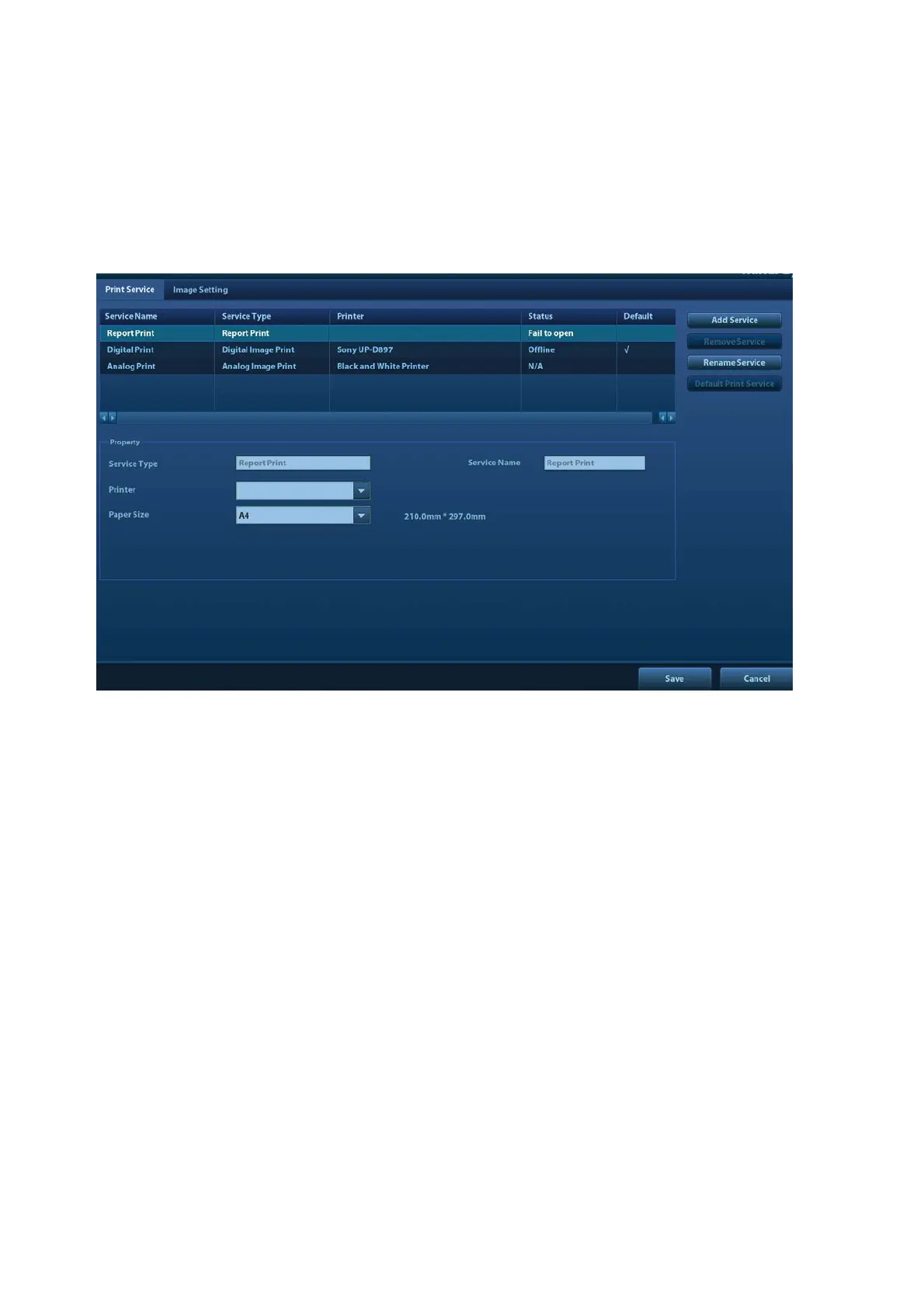
This screen is used to set up the printer and image printing.
Click [Print] in the preset menu to enter.
Printer setting
The printer settings include print service and print driver.
Print Service Setting
Add Service: click to begin adding print services.
Remove Service: click to delete the selected print service.
Rename Service: click to rename the selected print service.
Default print service: click to set the selected print service as the default one.
Property: to preset print service properties.
For details about adding printers, see “3.7 Installing a Printer.”
Image Settings
Click [Image Setting] to enter the page, you can set the brightness, contrast and saturation of
image printing, or you can use the default values.



 To Next Page