12-18 Setup
12.10.5 Other Settings
If you have any questions, please contact the service engineer or your agent.
12.11 Security
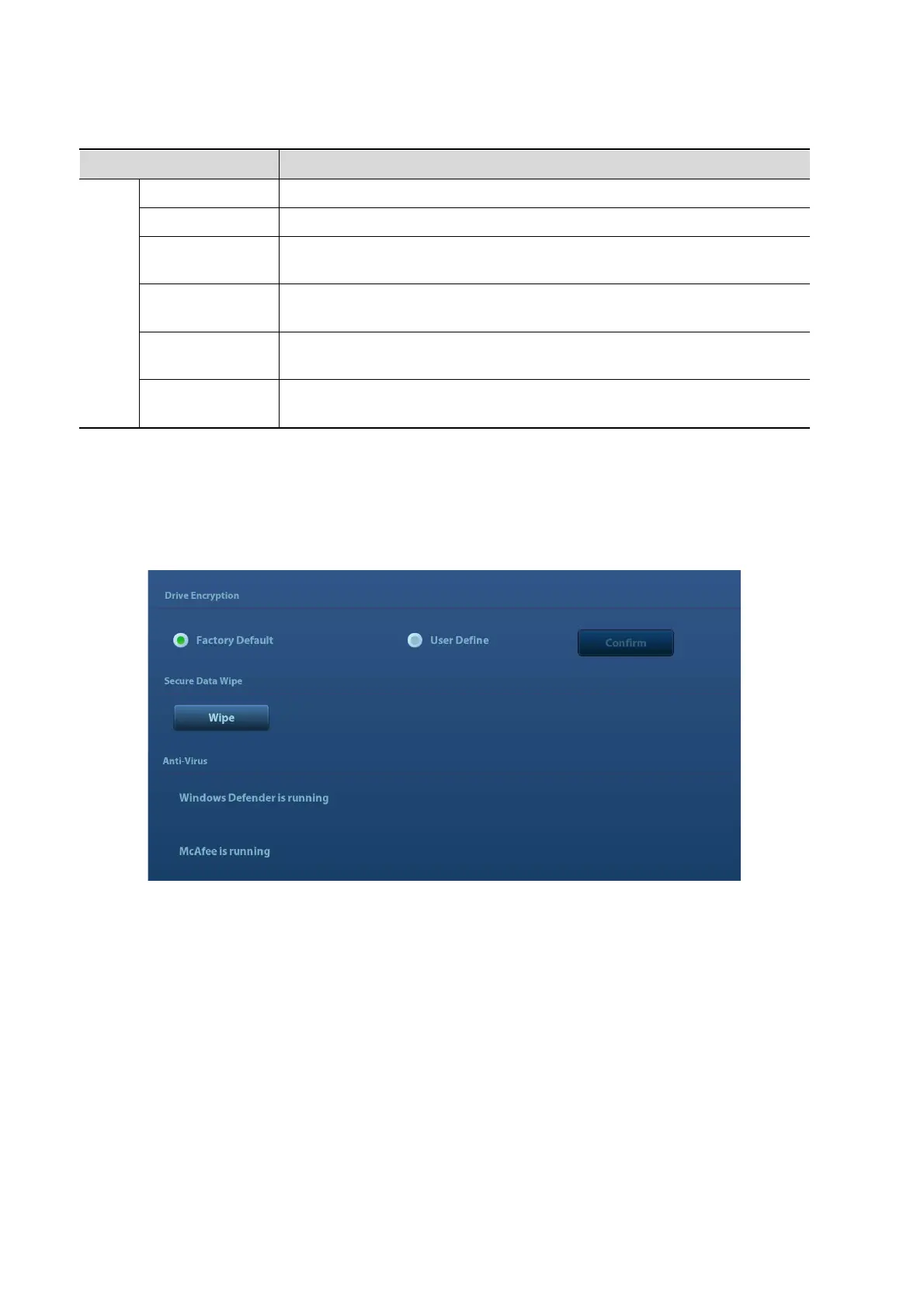
Click [Security] on the Setup menu to enter the security-setting screen.
1. Drive Encryption/Secure Data Wipe
Encrypt the patient data stored in the hard disk. The system provides two encryption methods:
Factory Default and User Define.
Factory Default: the system is in factory state by default.
User Define: add a user-defined password.
1) Select [User Define]. If the patient data are already stored in the hard disk, the system
prompts the following message: (if no patient data are stored in the hard disk, perform steps 5
to 6 directly)
Setup
Export Log Export the log.
Self Test Perform system self-test and restart the machine.
Recover
Recover the ultrasound system (including Operating System and
Doppler).
Enter Windows
For this function, you need a one-time password, please contact the
service engineer or your agent.
Prepay
Installment
Entrance of prepay of payment function.
Start/Stop
WinProxy
Cursor debug interface.



 To Next Page