12-14 Setup
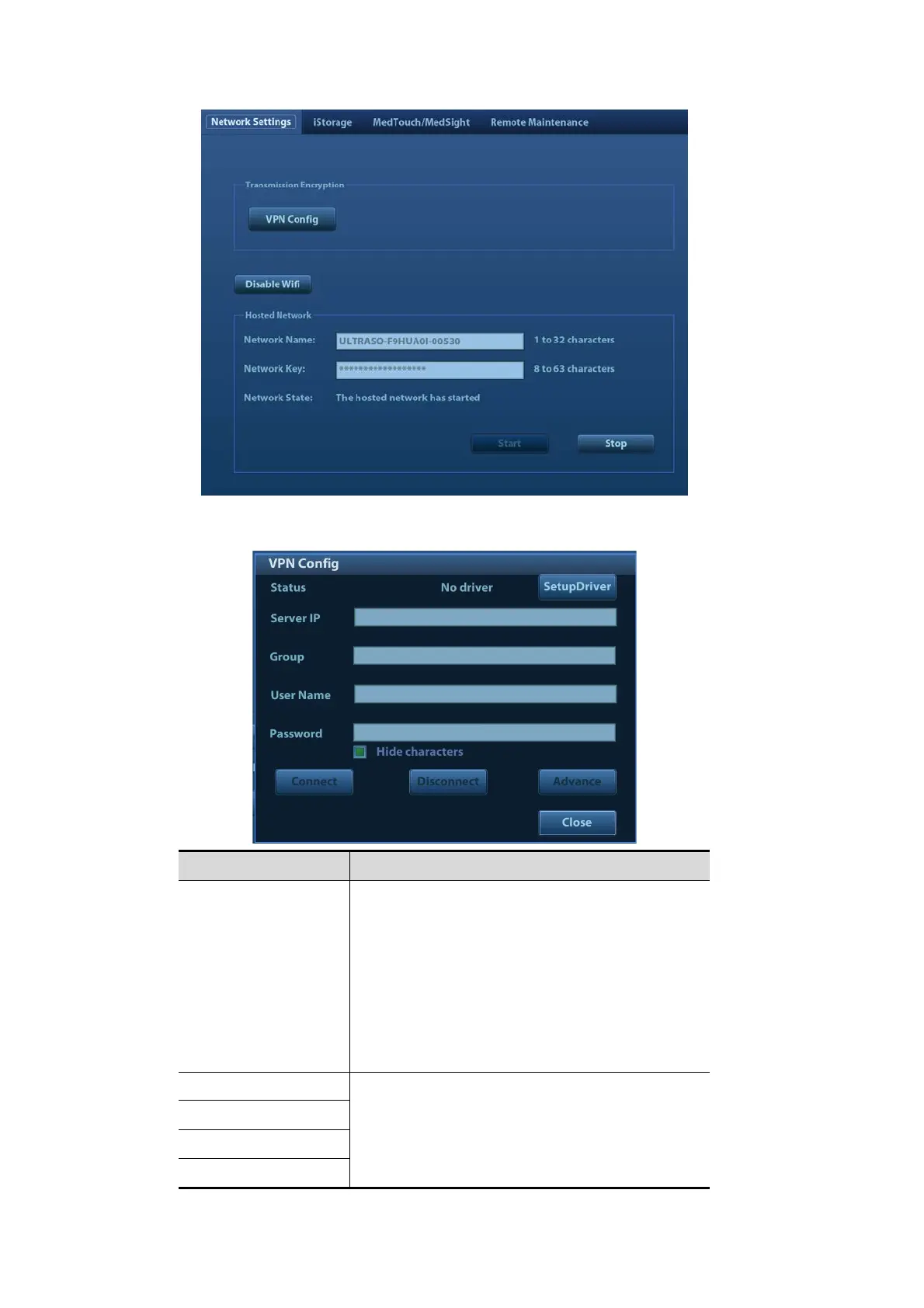
Transmission Encryption
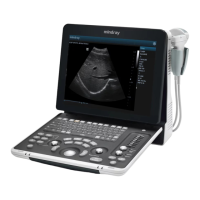
After accessing the network, click [VPN Config] to enter the "VPN Config" interface.
Parameter Description
Status
No driver: click [SetupDriver] to enter the "TAP-
Windows 9.21.2 Setup" interface, and do as
instructed.
Ready: the VPN is ready for use.
Advance: VPN Advance Configuration
Connected: VPN is successfully connected.
Disconnected: VPN is disconnected.
Error: error connection.
Server IP
/
Group
User Name
Password



 To Next Page