System Overview 2-11
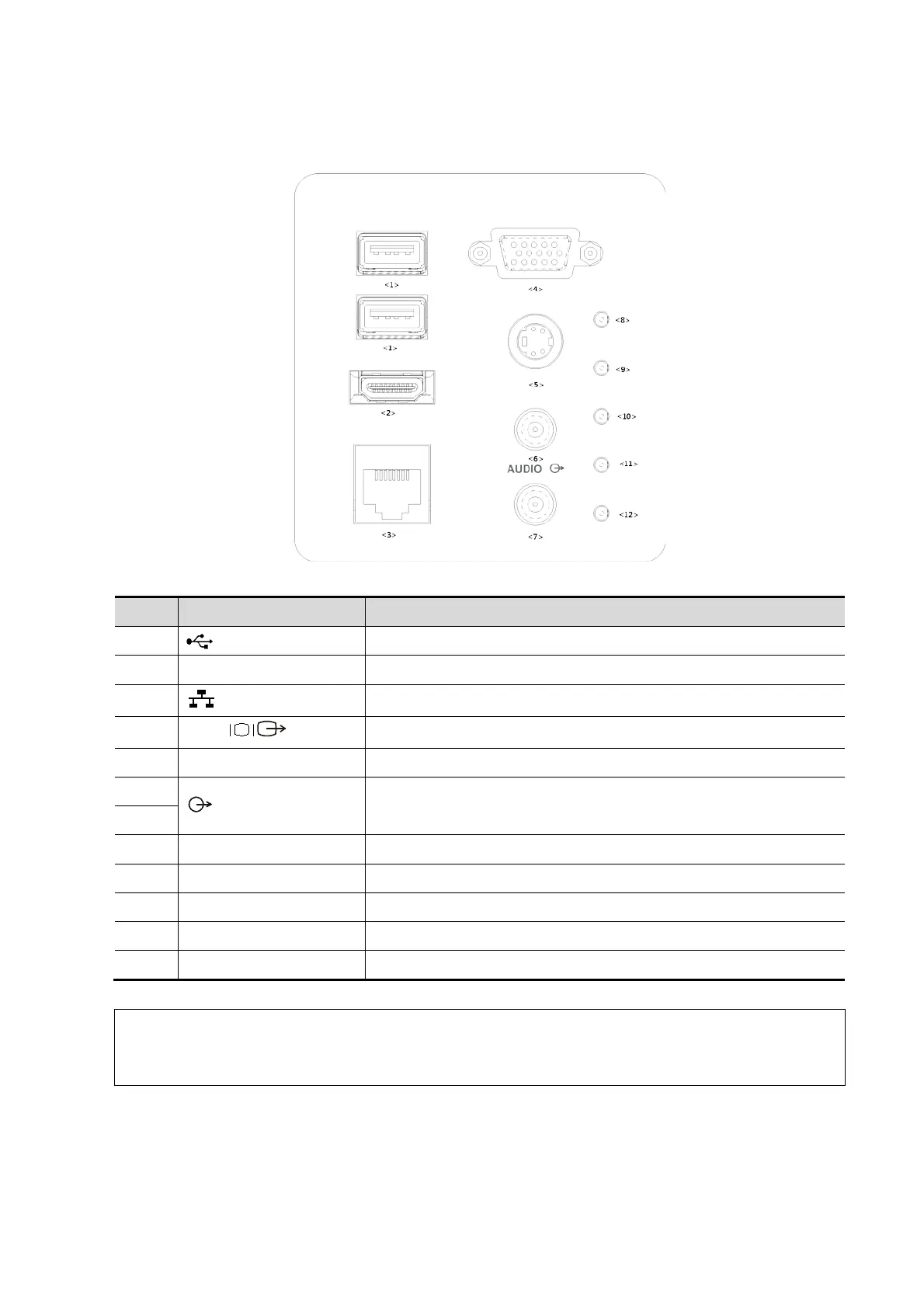
2.7 I/O Panel
<1>
USB ports.
<2> HDMI High definition multimedia interface.
<3>
Network port.
<4>
VGA
VGA signal output.
Used for separate video output.
<6>
Audio signal output port, left channel.
Audio signal output port, right channel.
<7>
<8> / 12V power indicator
<9> / 5V power indicator
<10> / 3.3V power indicator
<11> / PC_LVDS indicator
1. The S-VIDEO port performs better with analog video printing.
2. When connecting an external video device (HDMI/VGA), make sure the display
resolution setting is 1280x1024, otherwise the image quality may be degraded.



 To Next Page