mindray
DC7 Diagnostic Ultrasound System
18
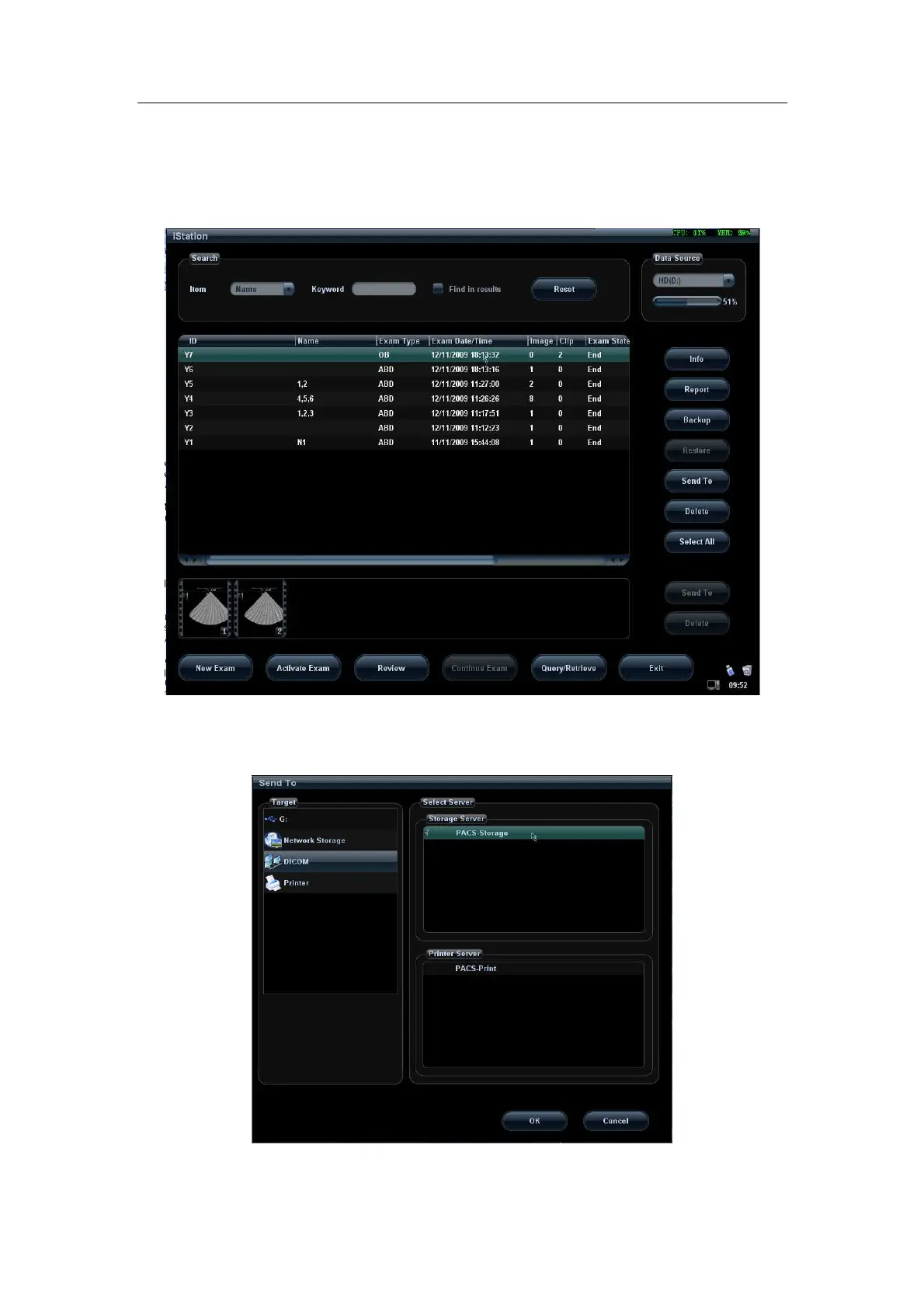
2. Press <iStation> on the control panel to enter the patient information management
page.
3. Select one or more exam records (that contain images. If not, the system will prompt)
in exam list, or select one or more images in an exam, as shown in Figure 10 iStation
Screen.
Figure 10 iStation Screen
4. Click [Send To] to pop up the [Send To] dialog box, select the remote DICOM Server,
click [OK] to send, as shown in Figure 11.
Figure 11 DICOM Send To Screen


 To Next Page