mindray
DC7 Diagnostic Ultrasound System
38
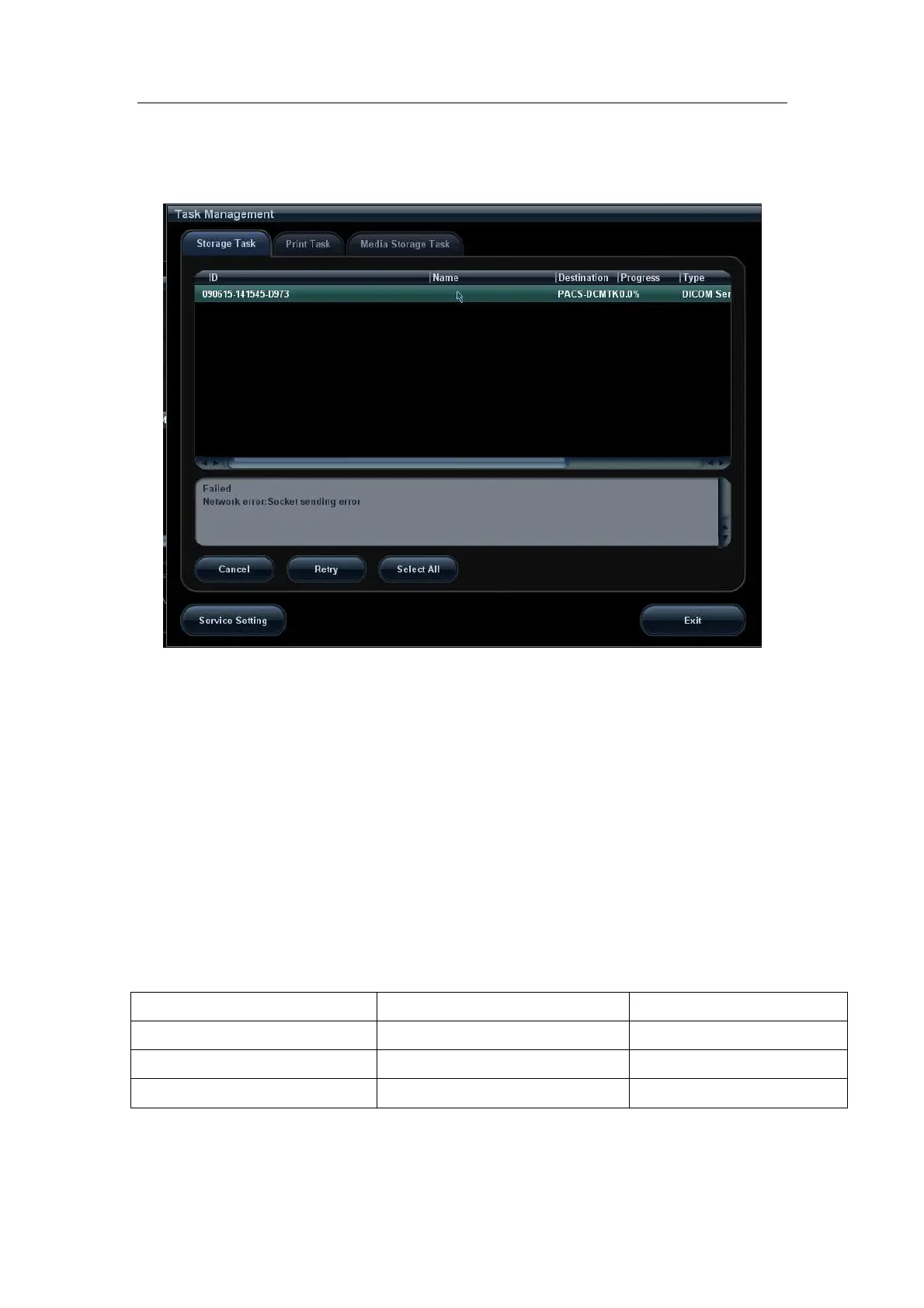
3.11.2 Network error: Socket sending error
Potential Reasons: Network cable unplugged or network equipment is failed during data
transmission. See the Figure below.
Figure 27 Network error
3.12 Print Service Examples
Whether the printing will be succeeded is determined by:
1. Printer settings on local ultrasound system should consist with that specified on
printer conformance statement;
2. The operations being performed are supported by the printer.
The following are two examples.
3.12.1 Example 1
The medium type supported by the Horizon CI DICOM printer in color and B/W printing is
shown in table below:
Medium Type (standard values) Grayscale PMM SOP negotiated
Color PMM SOP negotiated
PAPER DV Paper CV Paper
Blue Film DV Blue Film CV Film (clear)
CLEAR FILM DV Clear Film CV Film (clear)


 To Next Page