mindray
DC7 Diagnostic Ultrasound System
29
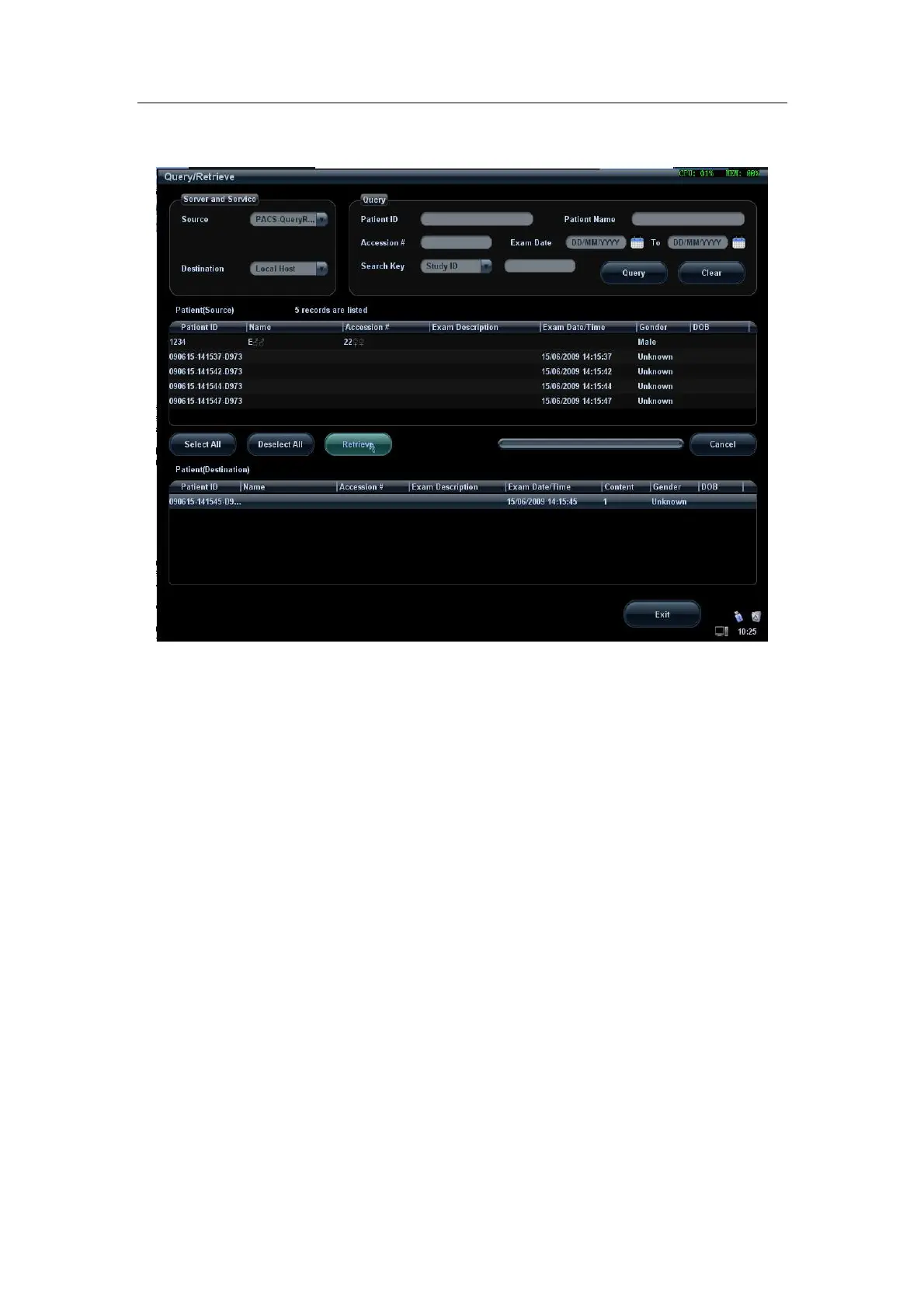
5. Select one or more records and click [Retrieve] to get the records down to local
system, as shown in Figure below.
Figure 21 Retrieve
6. Click [Exit], the obtained patient records can be viewed in iStation screen.
2.8 Structured Report (SR)
The system provides SRs in gynecology, obstetric, cardiac and vascular exams that
specified in the DICOM standard. The SR not only can be sent alone to a DICOM server,
but also can be sent along with an exam record that has image(s) saved. The type of SR
to be sent is determined by the application region of the exam:
Send obstetric SR: gynecology and obstetrics exam;
Send cardiac SR: cardiac exam;
Send Vascular SR: vascular, abdomen and urology exam. (The vascular SR contains
the superficial, abdominal and kidney vascular, application region of which
corresponds to the vascular, abdomen and urology exam respectively.)
2.8.1 Attach SR When Storage Images
Select “Enable Structured Reporting” in DICOM Storage Preset, as shown in Figure
below.
The procedures are shown in “2.2 DICOM Storage”. You can finish sending SR
automatically or manually.


 To Next Page