mindray
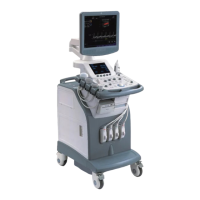
DC7 Diagnostic Ultrasound System
3
Note: Before using DICOM, please read the electronic file DICOM
CONFORMANCE STATEMENT along with the device. At the same
time, please verify that the SCU services provided by ultrasound
machine can be supported by the SCP services provided by the
systems such like PACS/RIS/HIS and so on.
The chapter is confined to the preset, connection verification and DICOM services of the
DICOM-configured ultrasound machine, not including SCP configurations like
PACS/RIS/HIS.
The DICOM package is optional, so the description here is only applicable for the system
configured with the DICOM package.
This system supports the following DICOM functions:
Verify Connectivity
Storage
DICOM Print
DICOM Worklist
MPPS(Modality Performed Procedure Step)
Storage Commitment
Q/R
DICOM Medium Storage(DICOMDIR Review)
DICOM Task Management
Workflows of DICOM Applications are briefly described as follows:
1. DICOM preset (local TCP/IP, local preset, server preset, and service preset).
2. Verify connectivity.
3. DICOM application (Image storage, Print, MPPS, Worklist, Storage Commitment,
DICOMDIR Review, Q/R and Task Management).
Abbreviation introduction:
The followings are the abbreviations in this chapter.
Abbreviation Description
DICOM
Digital Imaging and Communications in
Medicine
AE Application Entity
MPPS Modality Performed Procedure Step
PDU Protocol Data Unit
SCU Service Class User (DICOM client)
SCP Service Class Provider (DICOM server)
SOP Service-Object Pair
SR Structured Report


 To Next Page